Slip Merge Category Node
Using Slipbox Nodes (Slip Merge Category)
The Slip Merge Category node combines two category (INDEX) Slips into one. It moves all the child Slips from one category (the source, which gets absorbed) under the other category (the target, which remains), then deletes the source category itself. The titles and bodies of the moved child Slips are never touched — only their parent changes.
This node permanently deletes a category, and the action cannot be undone. Verify the behavior on a dummy category before using it against real content. This node also works well connected to an agent as a tool, but this tutorial covers it in an Ability to walk through the most basic usage first. Connecting it to an agent will be covered in a separate Slipbox agent integration guide. In this tutorial, you'll build an Ability workflow that creates two test categories in the Agentria Docs slipbox and merges them into one.
Before You Begin
A slipbox must already be set up in your project before starting this tutorial. For instructions on building a slipbox, see the 🔗Slipbox Guide. This tutorial creates two test categories inside the Agentria Docs slipbox to use along the way.
After completing this tutorial, you will be able to:
Use the Slip Merge Category node to combine two categories into one.
Connect each input variable of the Slip Merge Category node to the Start Node's input values.
Correctly tell apart the source category (absorbed) from the target category (kept).
Verify the categories were merged successfully by running the test and checking the debug log.
Workflow Overview
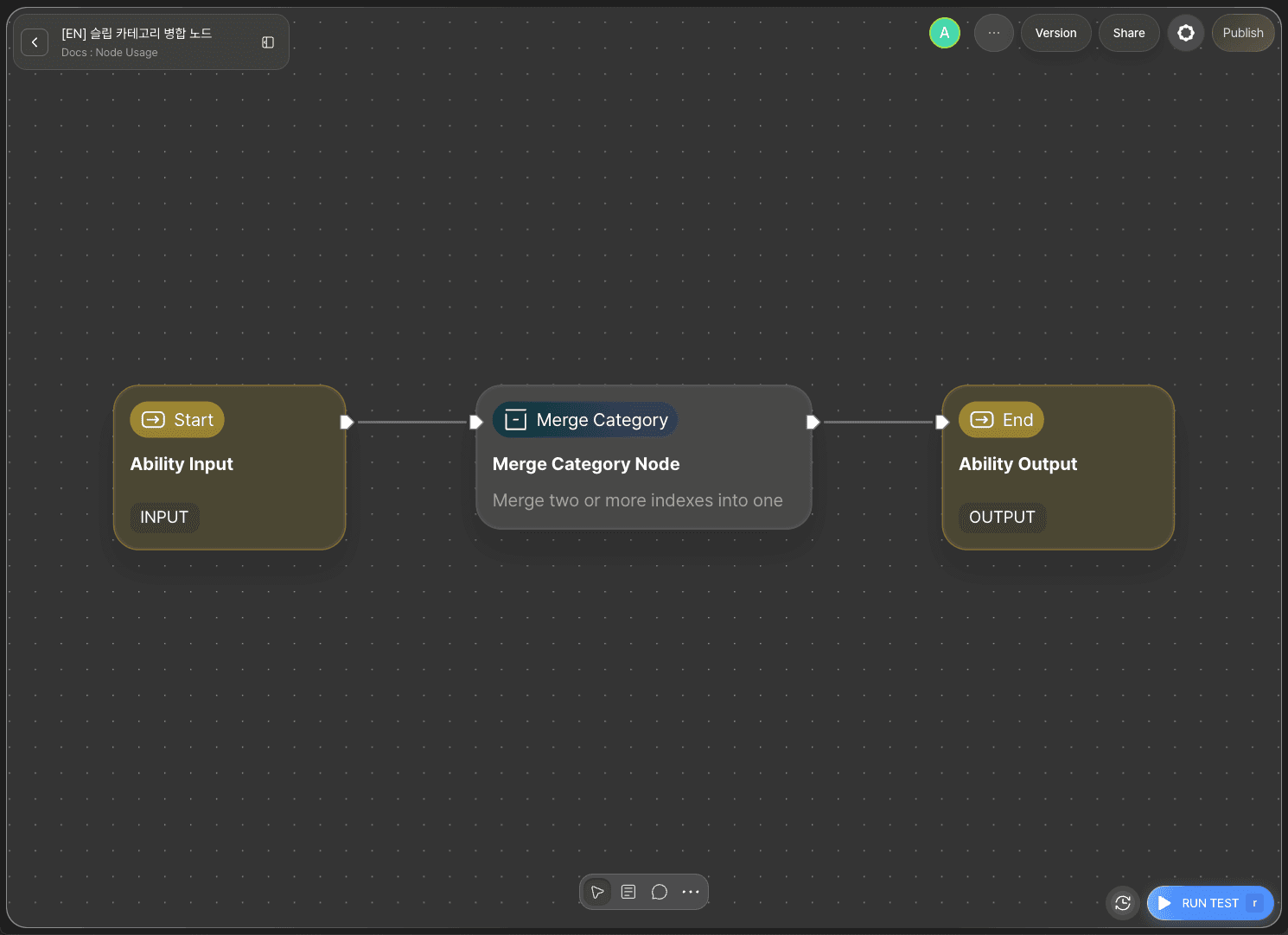
The core of this tutorial is the Slip Merge Category node.
The Slip Merge Category node identifies the source category and the target category by their UUIDs. It moves every direct child Slip of the source category under the target category, then deletes the source category itself.
Slip Merge Category Node Basic Info
The Slip Merge Category node provides the following options.
Option | Required | Description |
|---|---|---|
| Required | The UUID of the category (INDEX) Slip that will give up all its children and be deleted. |
| Required | The UUID of the category (INDEX) Slip that will receive the children and remain. It must not be a descendant of the source category (doing so would break the tree). |
| Required | The Slipbox this node operates on. Bound at design time in the builder. |
This tutorial uses all three options.
Step 1: Create an Ability
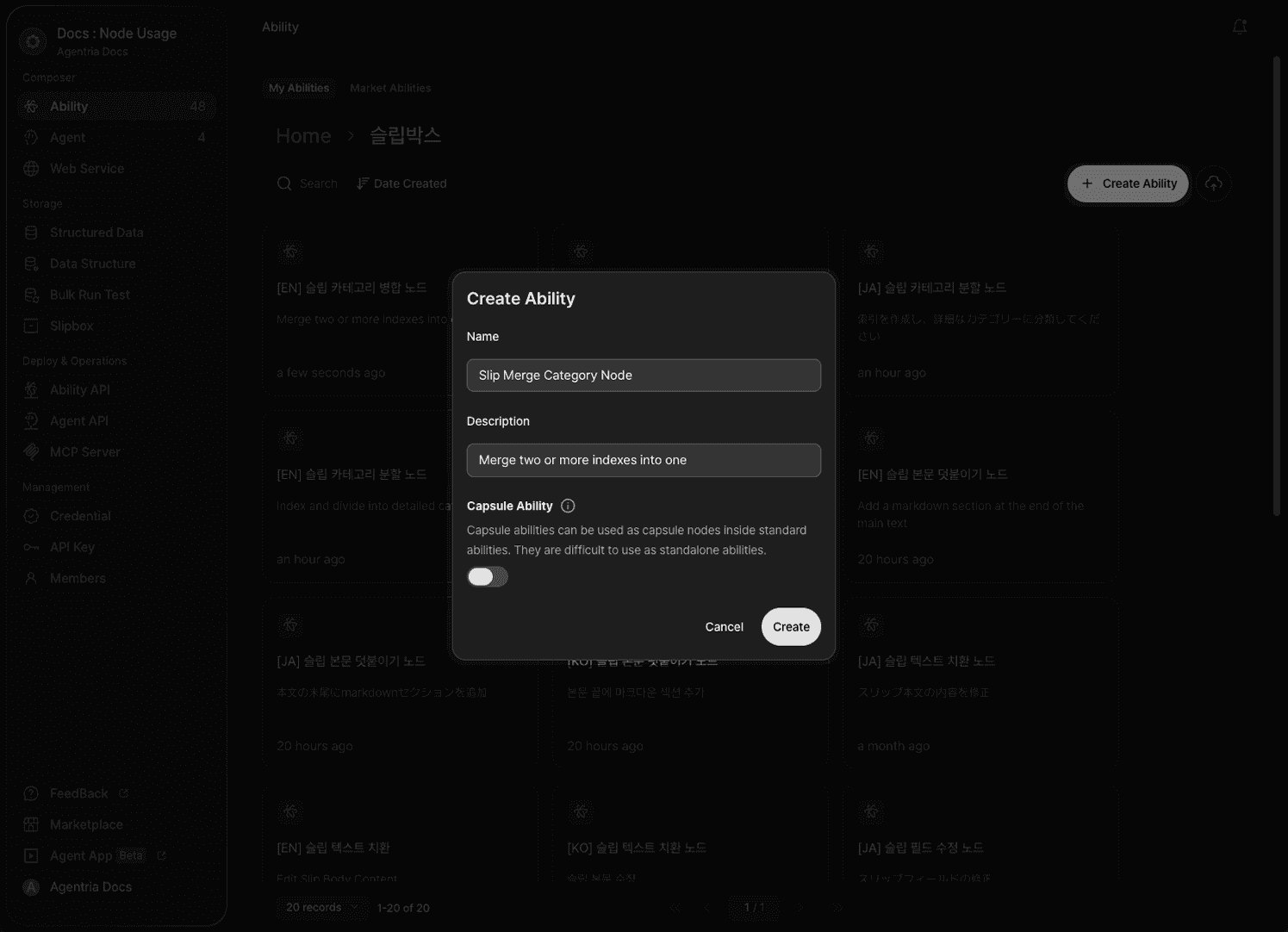
Create a new Ability. Enter Slip Merge Category node for Name and Merge two categories for Description. This Ability connects the Slip Merge Category node directly to the two categories you want to merge. Which categories you target is up to you — this tutorial targets two test categories in the Agentria Docs slipbox.
Step 2: Configure the Start Node
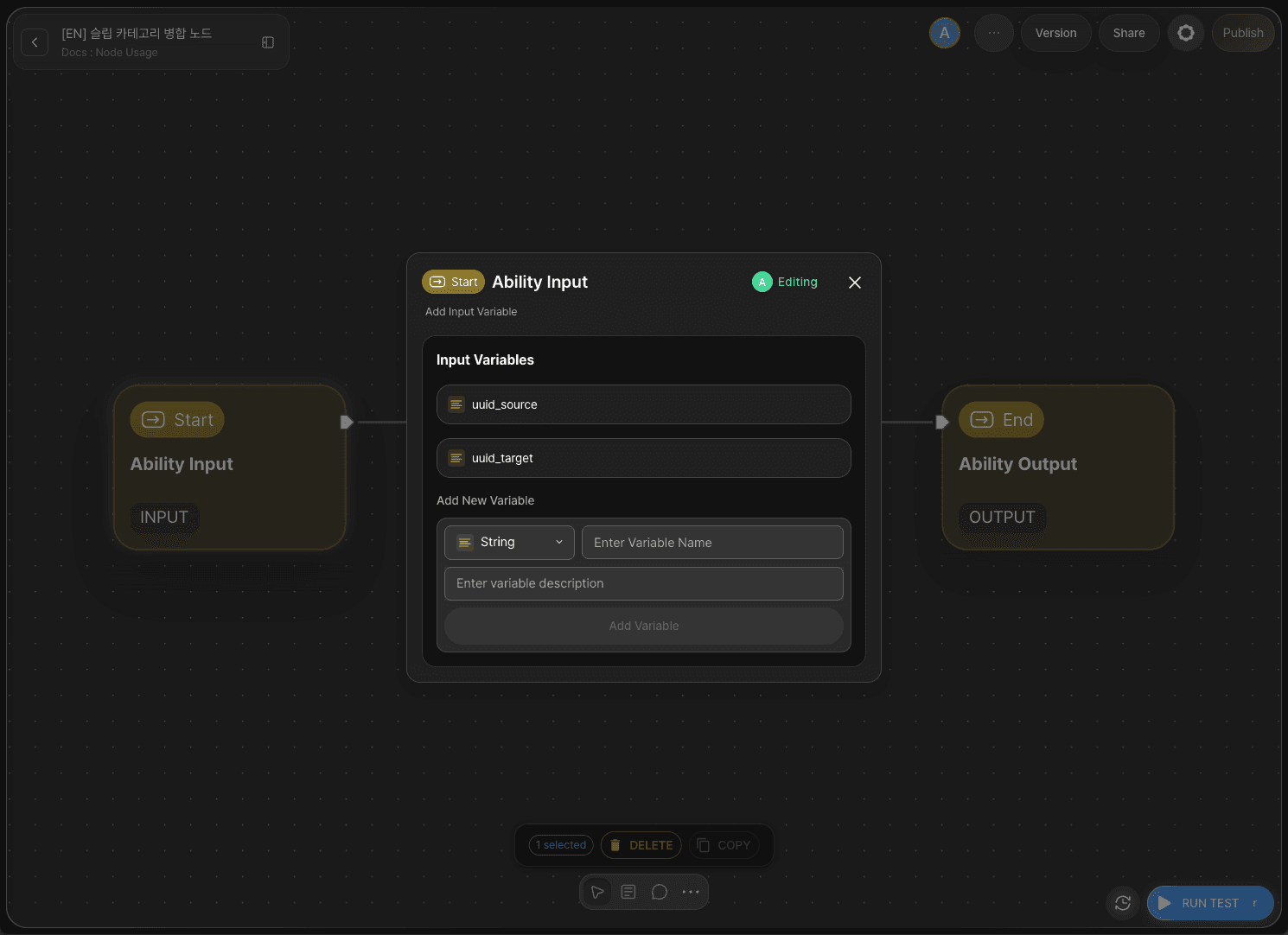
Double-click Start Node to enter the Node Editor. Add the following two variables.
uuid_source: accepts the UUID of the category to absorb (and delete). (String)uuid_target: accepts the UUID of the category that will receive the children and remain. (String)
Step 3: Add the Slip Merge Category Node
Click +Add Node → add a Slip Merge Category node from the Slipbox category.
Step 4: Configure the Slip Merge Category Node
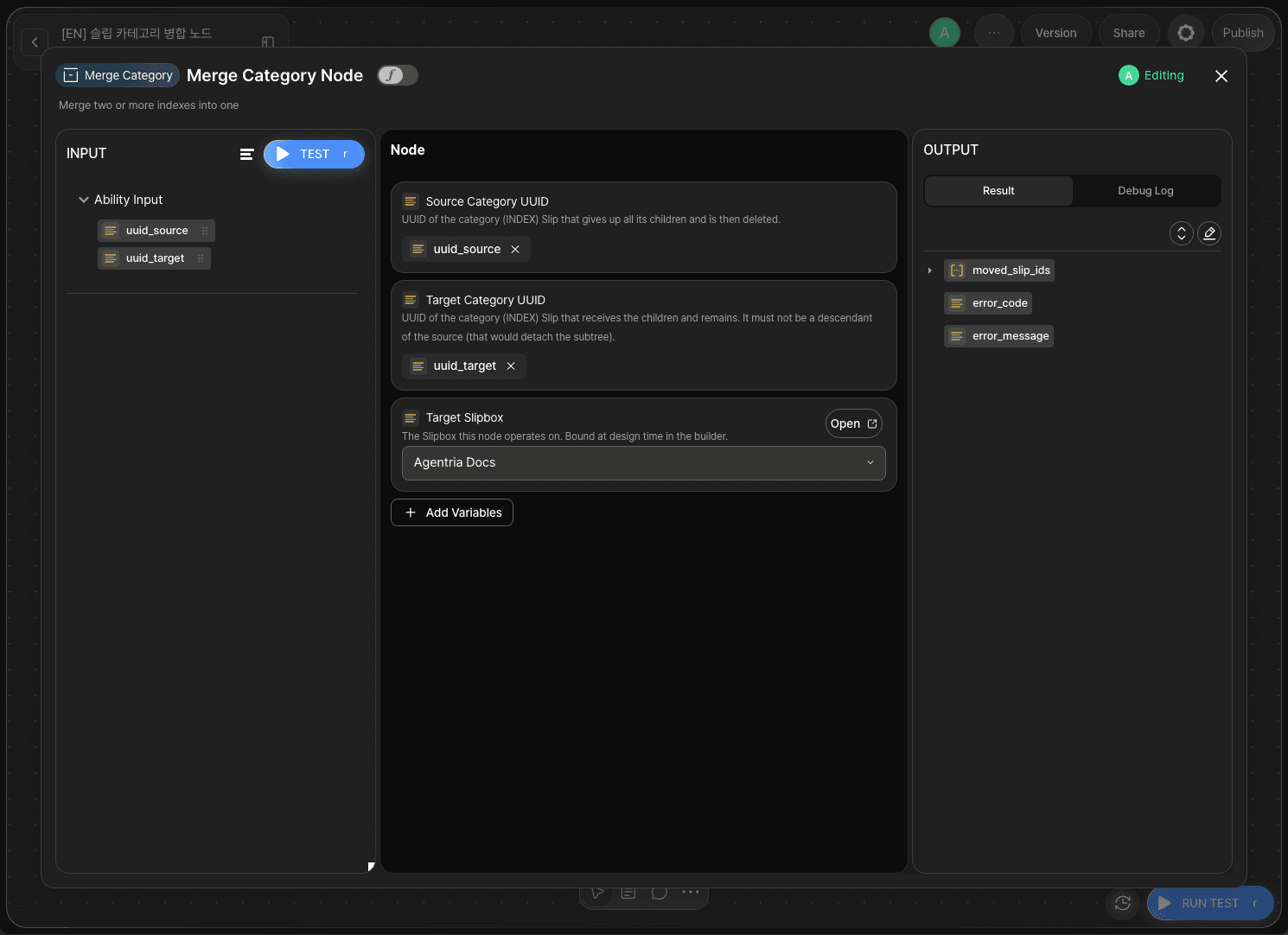
Double-click the Slip Merge Category node to enter the Node Editor. In Target Slipbox, select whichever slipbox you're working with — this tutorial selects Agentria Docs as an example. If you leave this unset, running the node fails with error_code set to SLIPBOX_NOT_FOUND, so make sure to check it.
Drag and drop the Start Node's input values onto the remaining fields as follows.
Adapter Variable | Bound Value |
|---|---|
|
|
|
|
Once the node runs successfully, it outputs moved_slip_ids (the UUIDs of the Slips moved out of the source category, as an array), error_code, and error_message.
Step 5: Configure the End Node
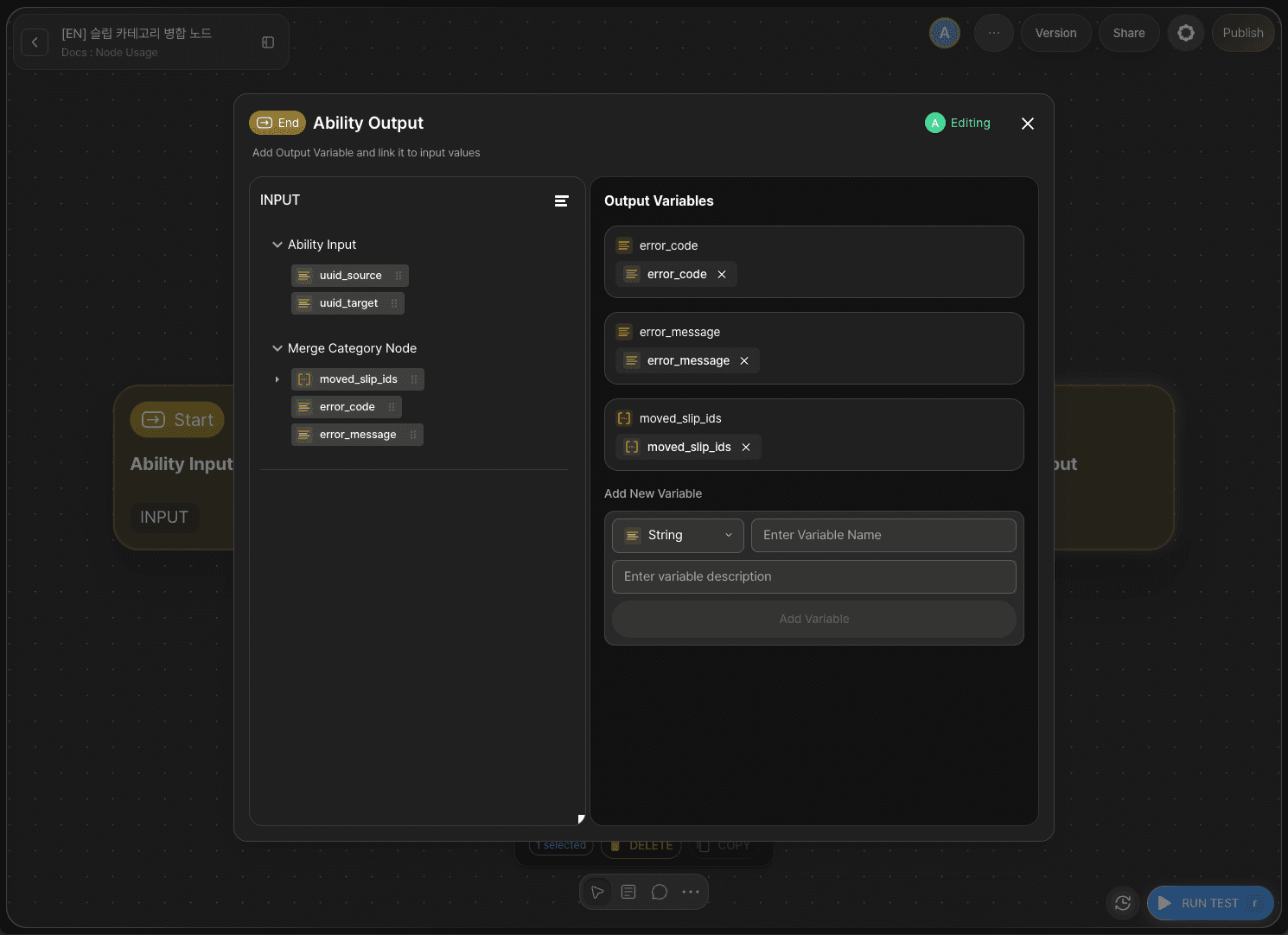
Double-click End Node to enter the Node Editor. Add a String output variable named result and drag and drop error_code from the Slip Merge Category node to bind it. This lets you check whether the merge succeeded or failed from the output value.
Step 6: Prepare Two Test Categories
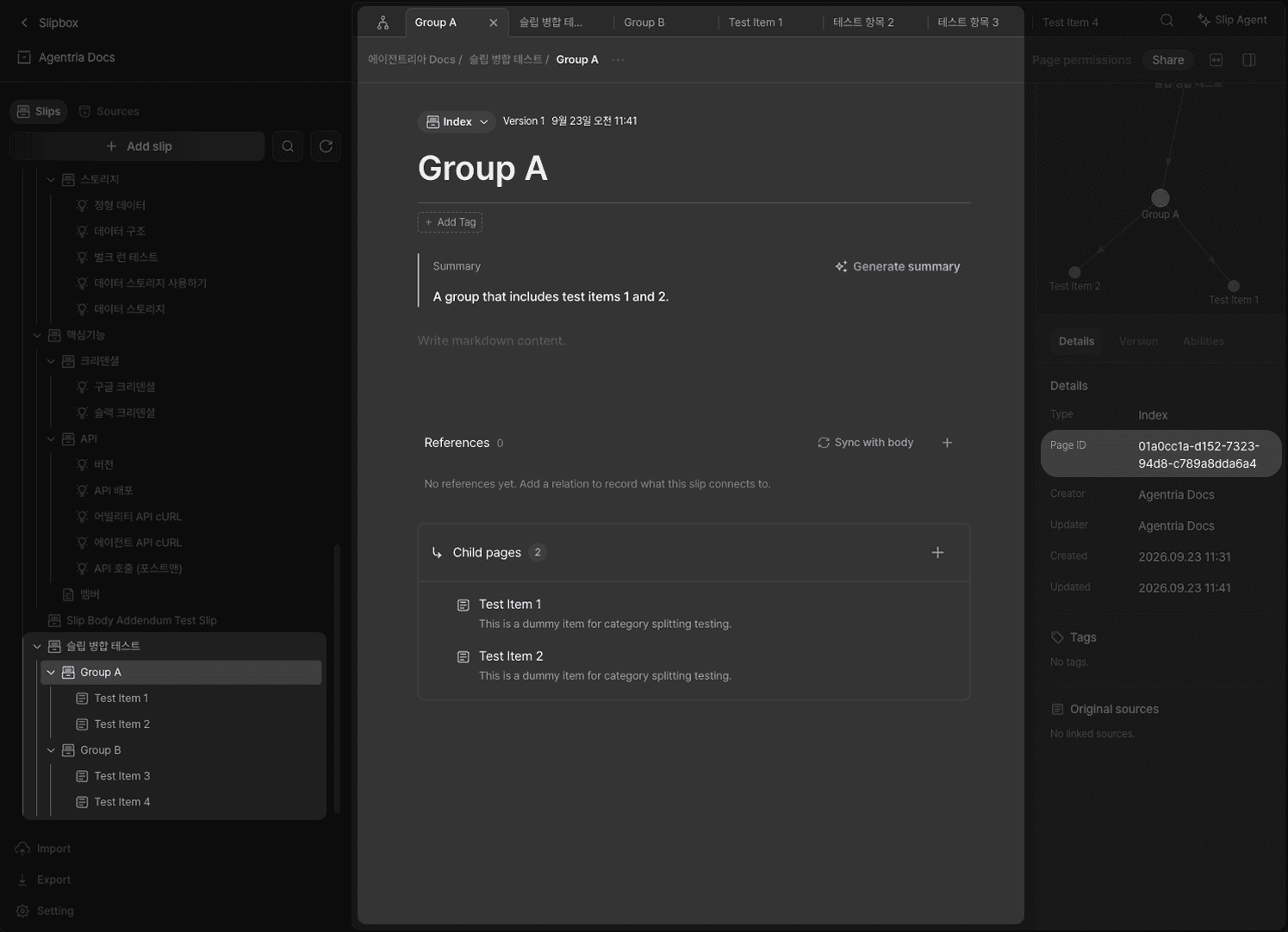
Go to the Agentria Docs slipbox and click Add Slip twice to create two test categories (e.g., a source category and a target category). Keep both Slips' Type at its default value, Index. For the source category, use the + button in the Child Pages area to add one or two child Slips — this is so you can verify they actually get moved after the merge. Finally, copy the public UUID of each category Slip from the details panel on the right. You'll use these values as the uuid_source and uuid_target inputs when you run the test.
Step 7: Run the Test
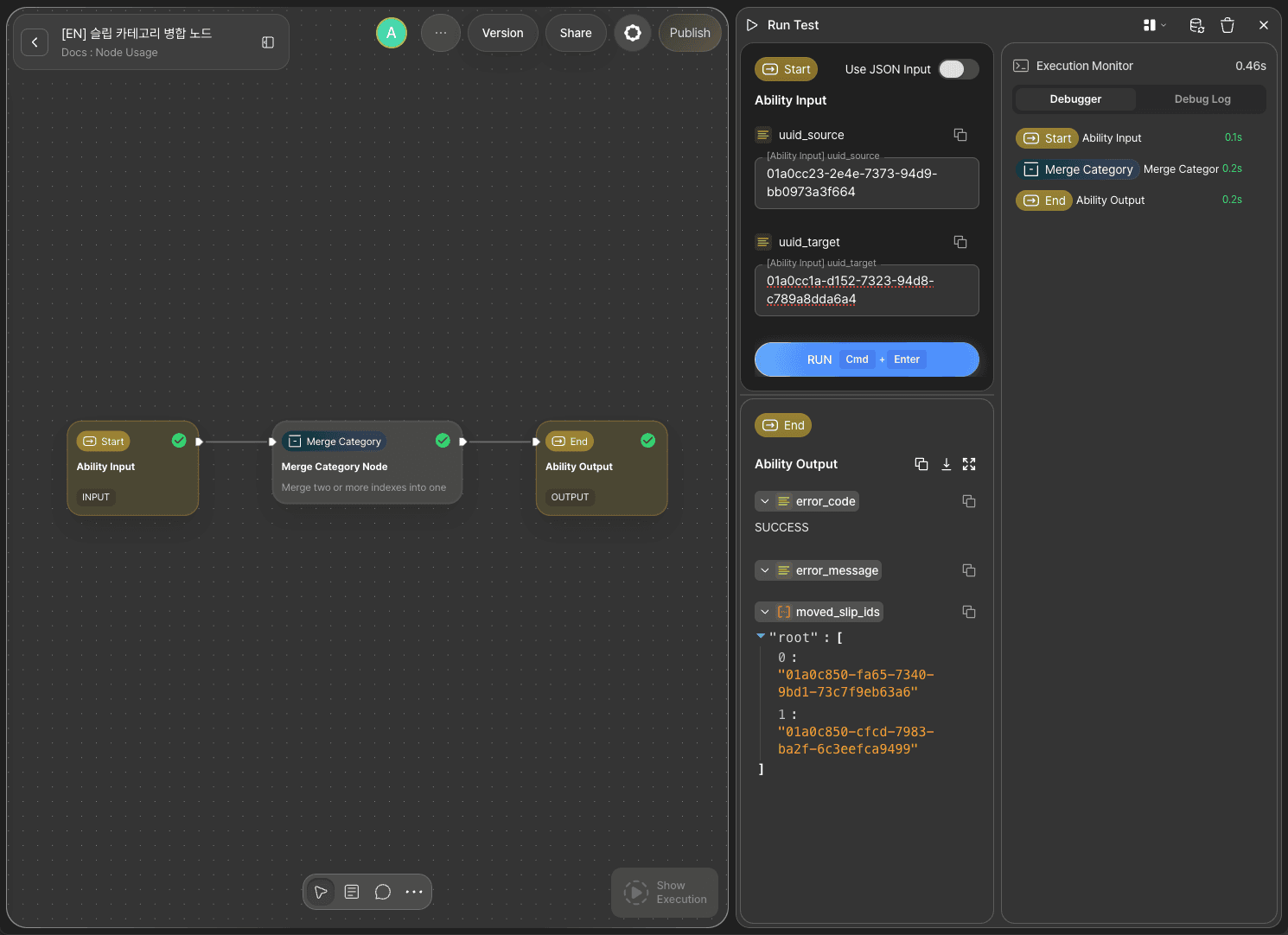
Paste the source category's public UUID into uuid_source, and the target category's public UUID into uuid_target. Click RUN TEST. If the result output is SUCCESS, the test succeeded.
Step 8: Check the Debug Log
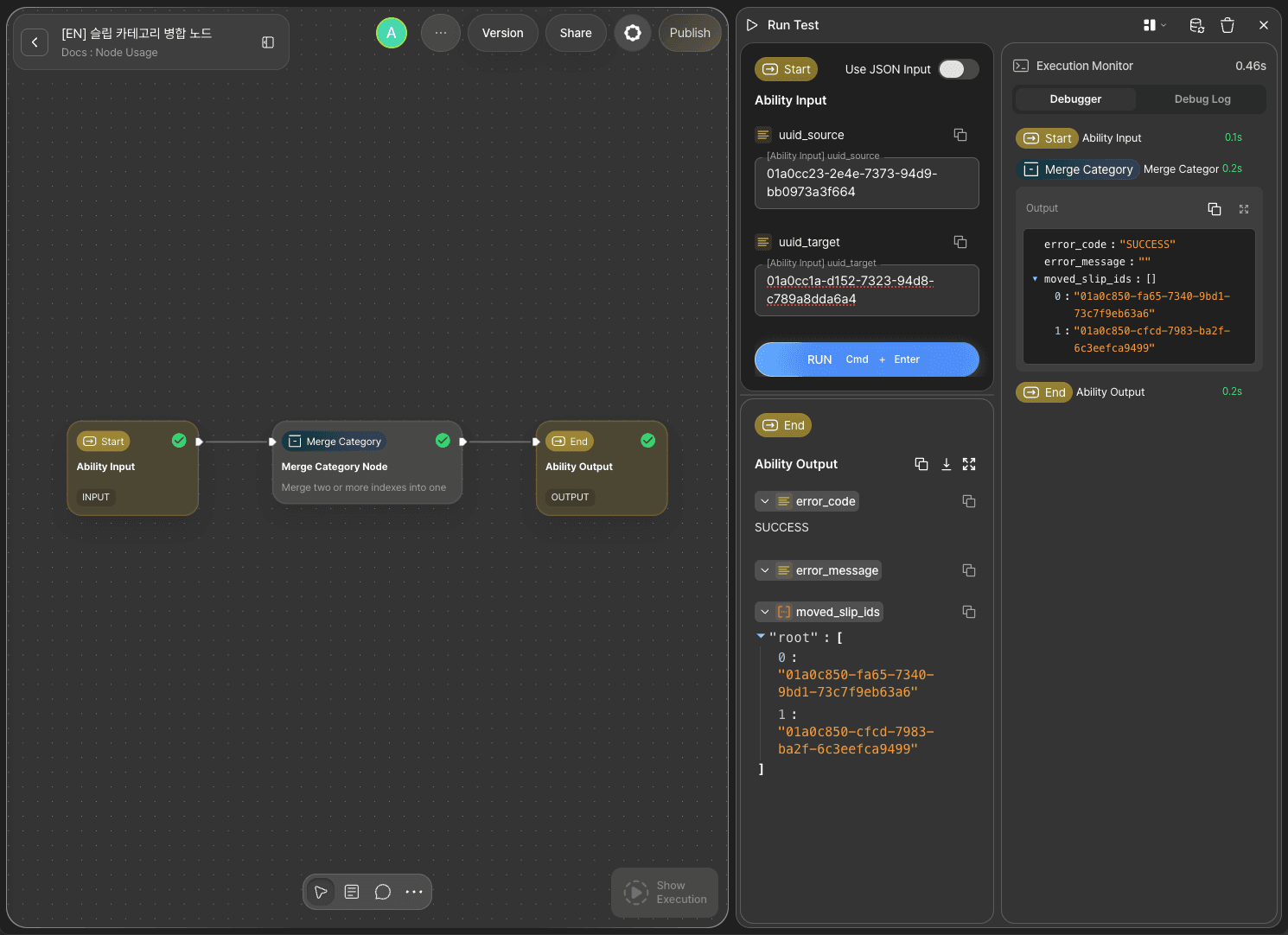
Check the Debug Log of the Slip Merge Category node to see the details showing error_code returned as SUCCESS, along with the moved_slip_ids value that came back with it. It holds an array of the UUIDs of the Slips that were under the source category.
Step 9: Verify the Result in the Slipbox
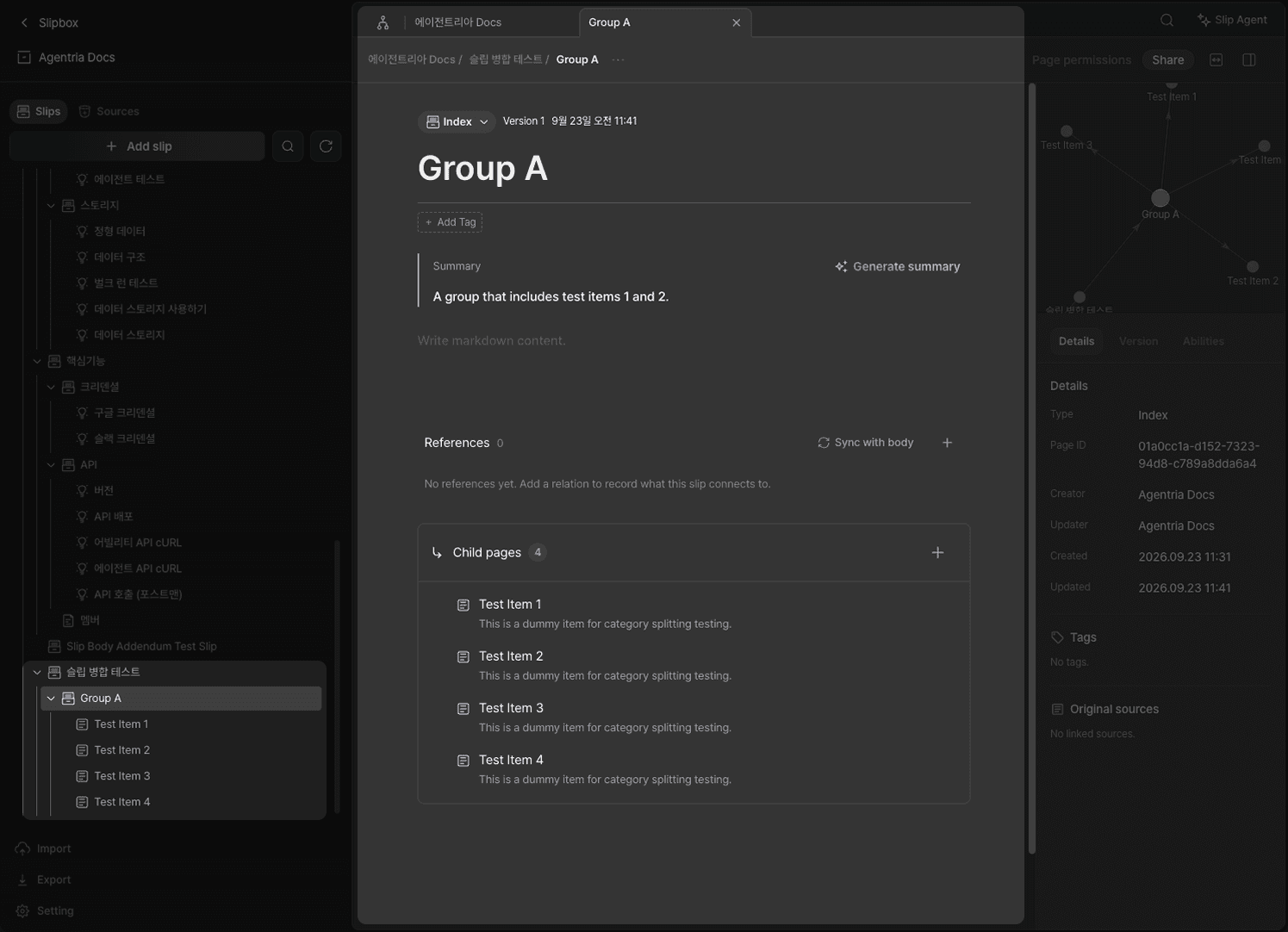
Go to the Agentria Docs slipbox and check the list — the Slip you set as the source category no longer appears (it was deleted). Open the target category, and you'll see it now holds both its original children and the children that used to belong to the source category, all as child pages. The moved Slips' titles and bodies remain exactly as they were.
Next Steps
🎉 Congratulations! You've successfully built the "Merge Two Categories" workflow using Agentria.
Connect this node to an Agent Loop node as a tool, and you can extend it into a workflow where the agent consolidates duplicate or overly fragmented categories on its own whenever it spots them during a conversation.
Agentria is a place where ideas become reality—your workflow can expand infinitely with your creativity.
For more node examples, visit the 🔗Node Usage page.
Frequently Asked Questions
What does the Slip Merge Category node do?
The Slip Merge Category node combines two category (INDEX) Slips into one. It moves every direct child Slip of the source category under the target category, then deletes the source category itself.
What happens to the source category itself after the merge?
It's deleted. Once the Slip you set as Source Category UUID has handed off all its children, it's permanently removed, and this cannot be undone. Always verify the behavior on dummy categories before using it against real content.
What happens if the target category is a descendant of the source category?
The node rejects the request. If the target category sits under the source category, merging would break the tree structure itself, so this combination isn't supported.
Can I set a regular Slip (not an INDEX) as the source or target category?
No. Both Source Category UUID and Target Category UUID only accept Slips of type Index.