Members
Agentria is a collaboration-friendly platform that allows you to invite members to share workplaces and projects.
Invited members can access and collaborate based on their assigned permissions.
Adding Members to a Workplace (Organization)
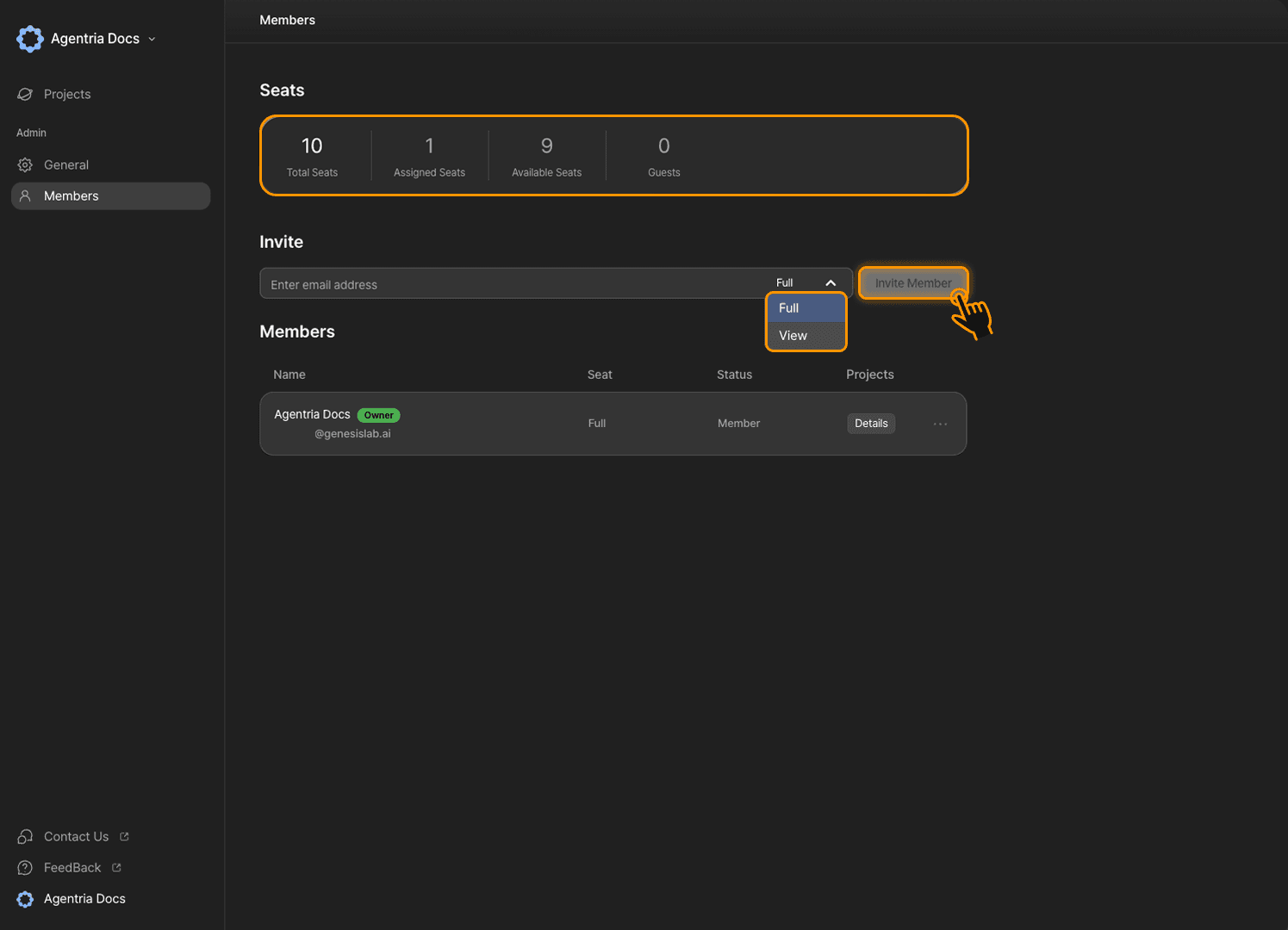
From the home screen, navigate to Members in the sidebar.
Here, you can invite members using their email addresses.
Note that the invited email must already be registered with Agentria.
You can check the number of seats available in the table.
To add more seats, you will need to upgrade your plan.
Once the invite button becomes active, click it to add a member to the workplace.
You can assign permissions at the time of invitation.
permission | description |
|---|---|
Full Seat | Can edit projects. (seat consumed) |
View Seat | Can comment on projects. (seat not consumed) |
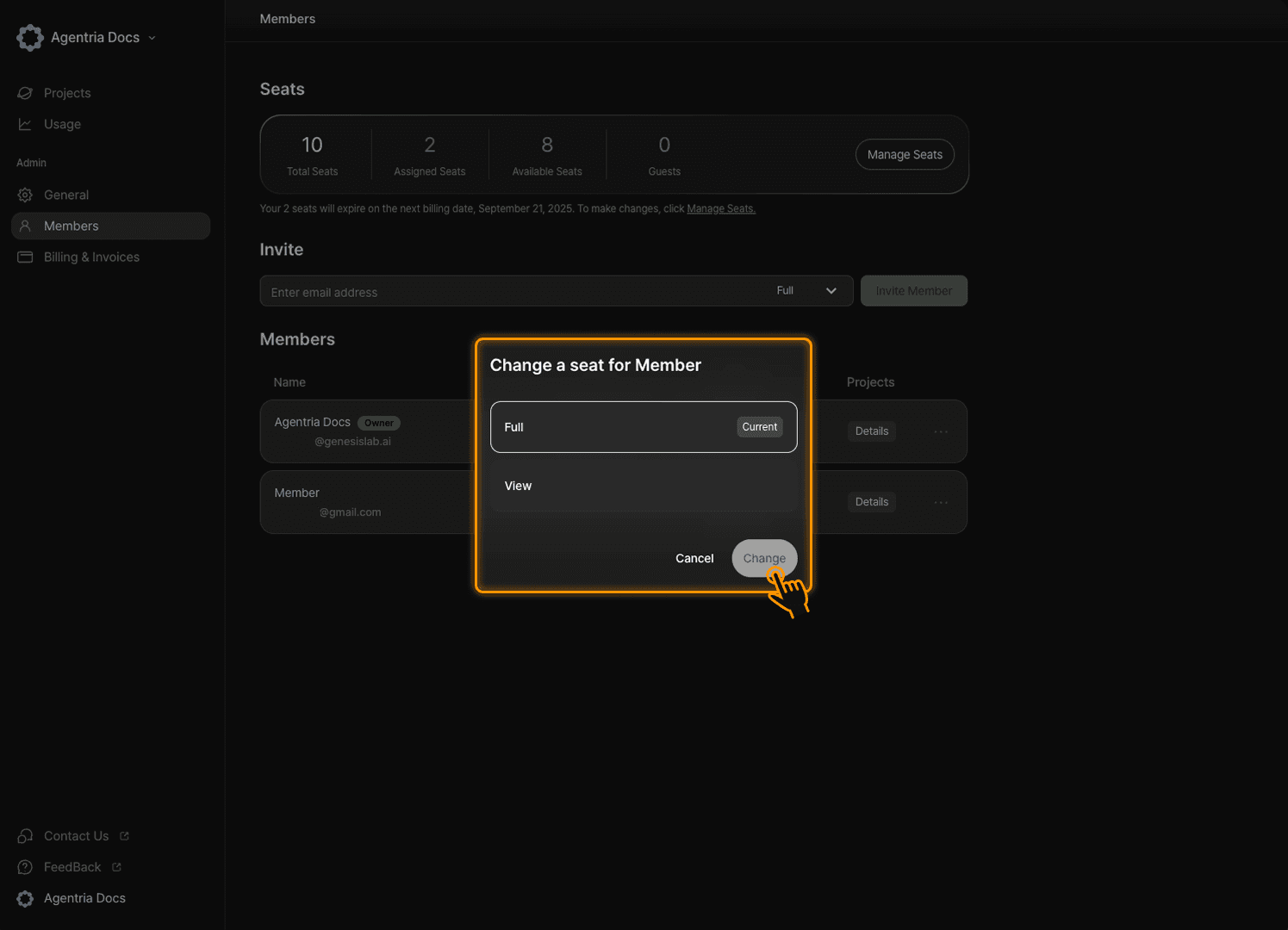
Invited members can be removed by clicking the more options button ···.
The workplace Owner can change a member's permissions at any time.
Sharing a Project
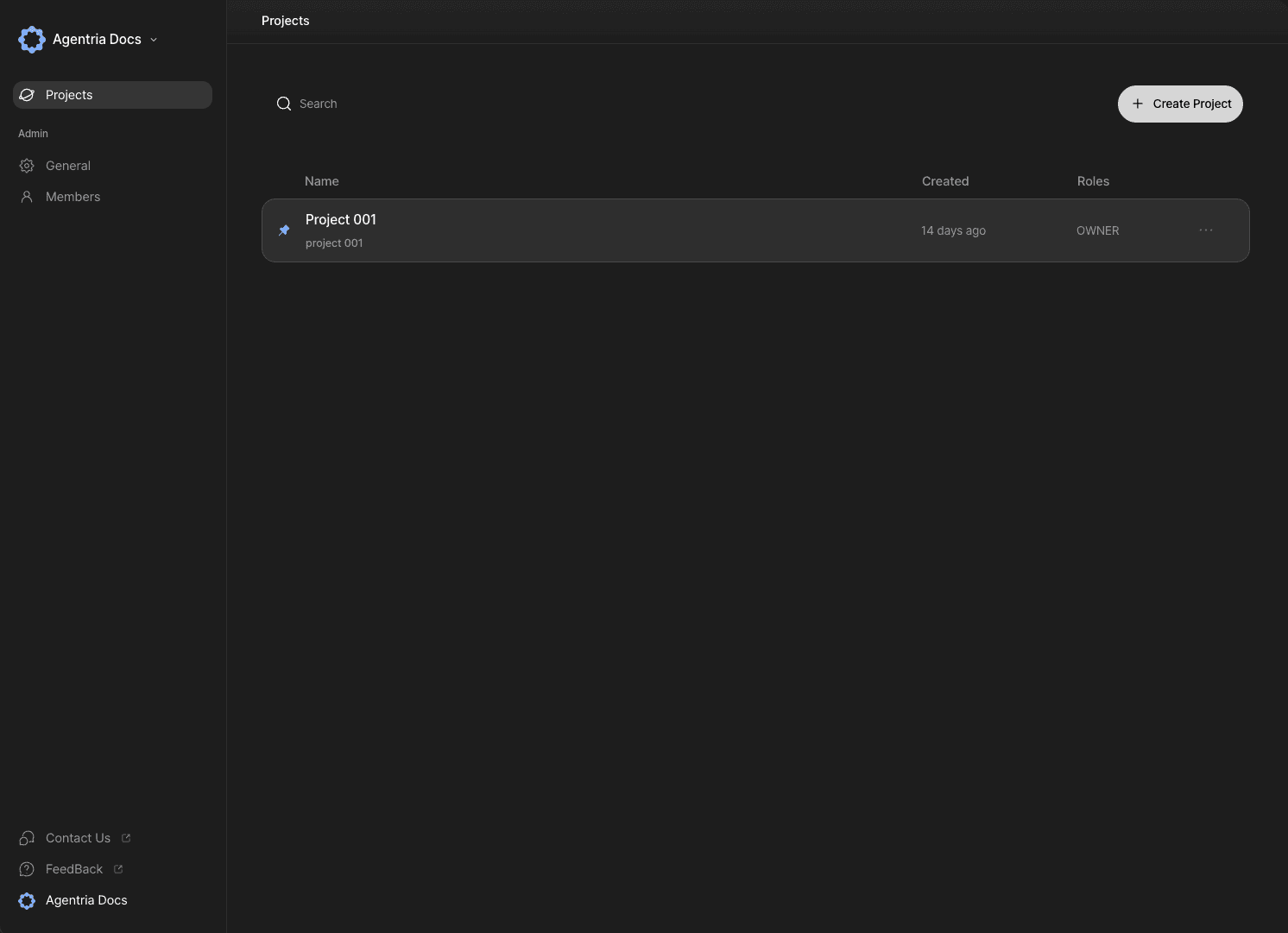
Once a member has been added to the workplace, you can grant permissions at the individual project level.
Navigate to the project you want to share with a member.
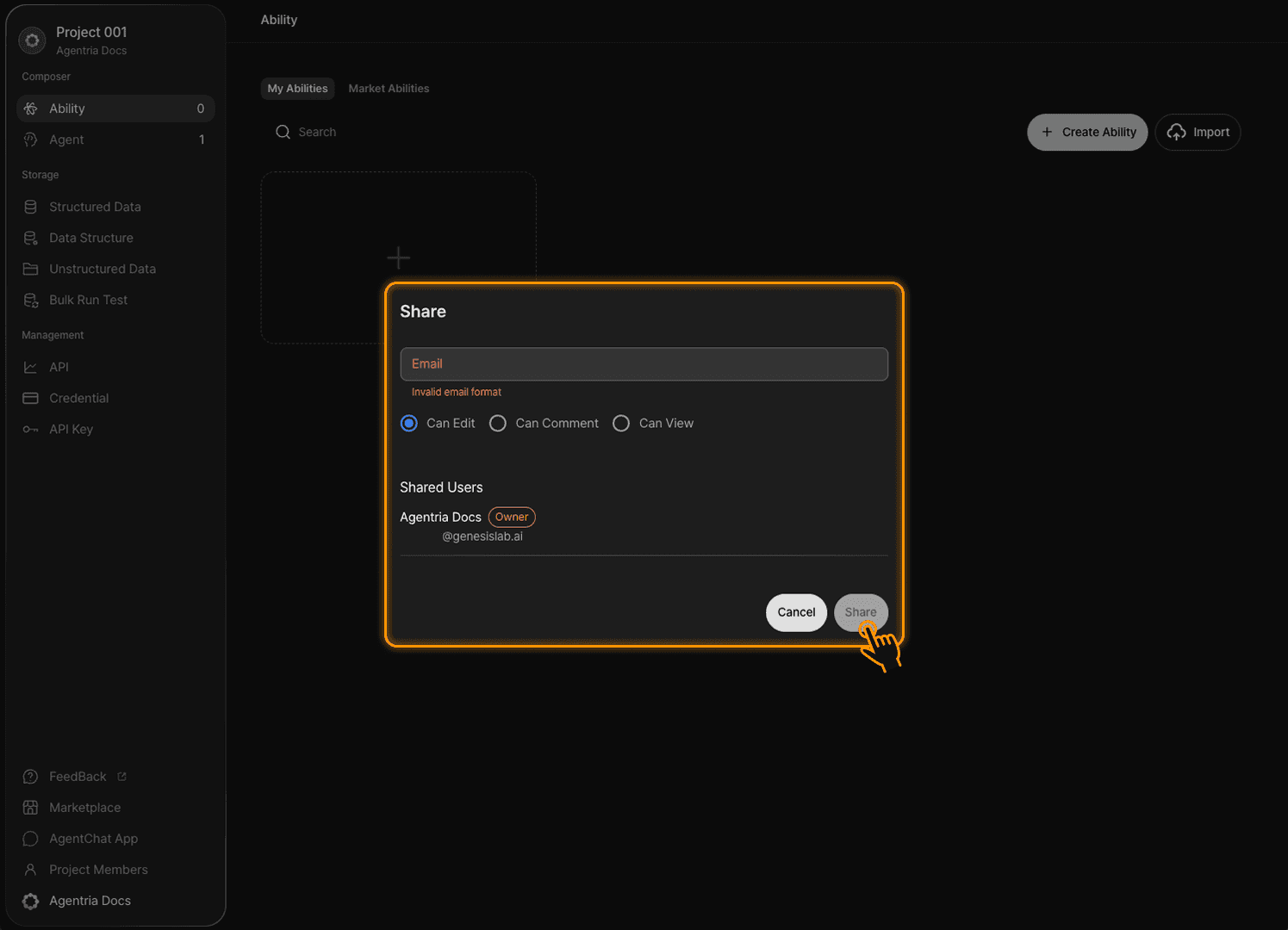
Click the Project Members tab at the bottom of the sidebar to open the sharing panel.
Enter the email address of the member you want to share the project with.
Only members who have already been added to the workplace can be designated as sharing recipients.
Project-level permissions are as follows:
permission | Add/Edit/Delete nodes | API deployment | Add comments | Run tests |
|---|---|---|---|---|
Can Edit | O | O | O | O |
Can Comment | X | X | O | O |
Can View | X | X | X | X |
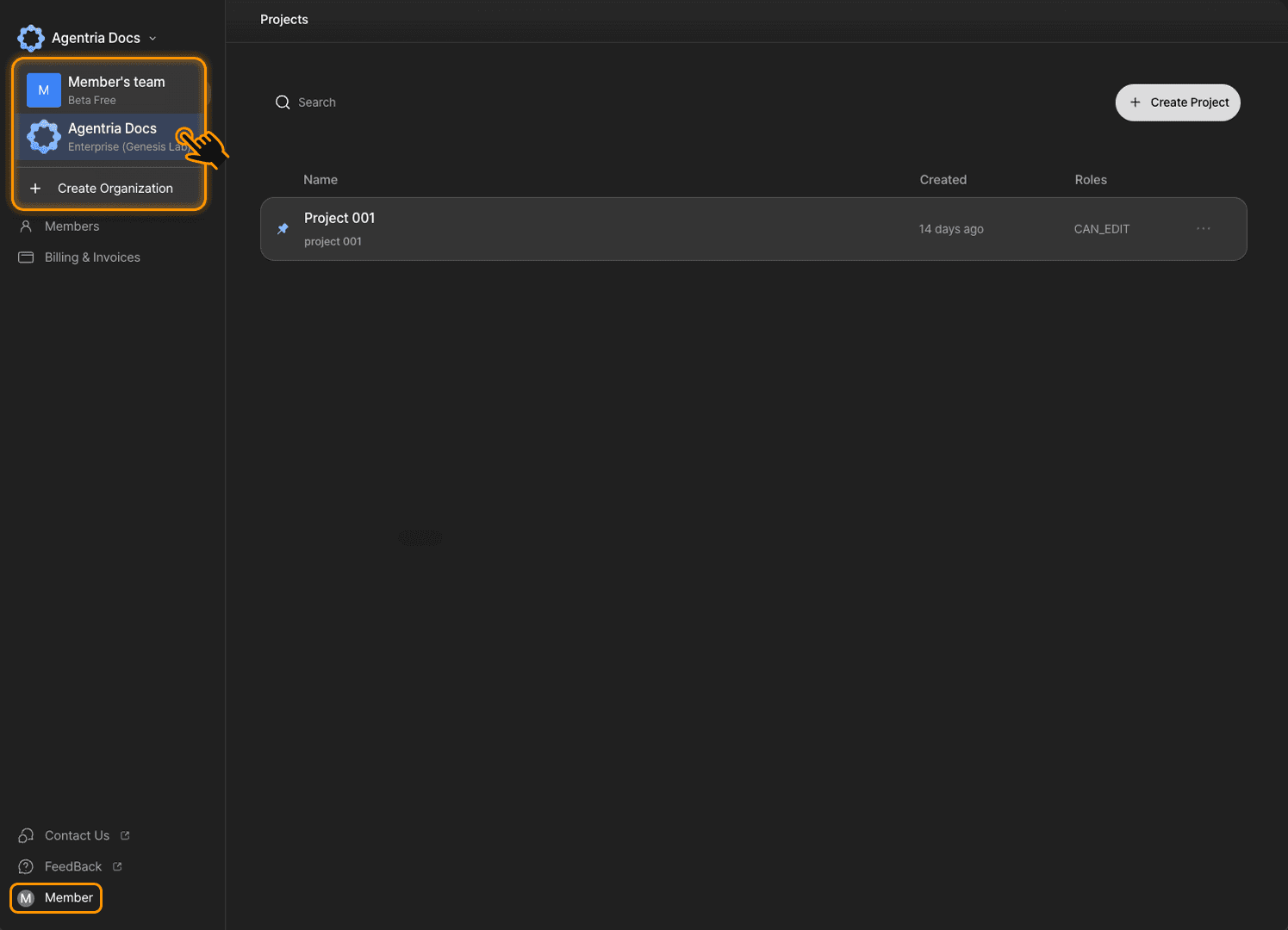
Members can now access the shared workplace and projects when they log in to their account.
With Agentria's collaboration features, your team can build and expand workflows together to bring real services to life.
We recommend updating the edit and access permissions of members when their collaboration is no longer needed, in order to maintain the security of your workplace and projects.