Data Structure
Data Structure
A Data Structure serves as the blueprint for the structured data used by the agent.
It defines each data field (column), its type, and whether it’s required—ensuring data consistency and allowing the agent to process information reliably.
Data Integrity: By defining the data format (Type) in advance, it ensures the agent follows consistent rules when storing or retrieving data.
Processing Efficiency: Based on a defined schema, data processing logic can be systematically organized, enabling efficient implementation of complex business logic.
Reusability and Scalability: Once defined, a data structure can be reused across multiple structured data storages, improving workflow development and management efficiency.
Creating and Managing Data Structures
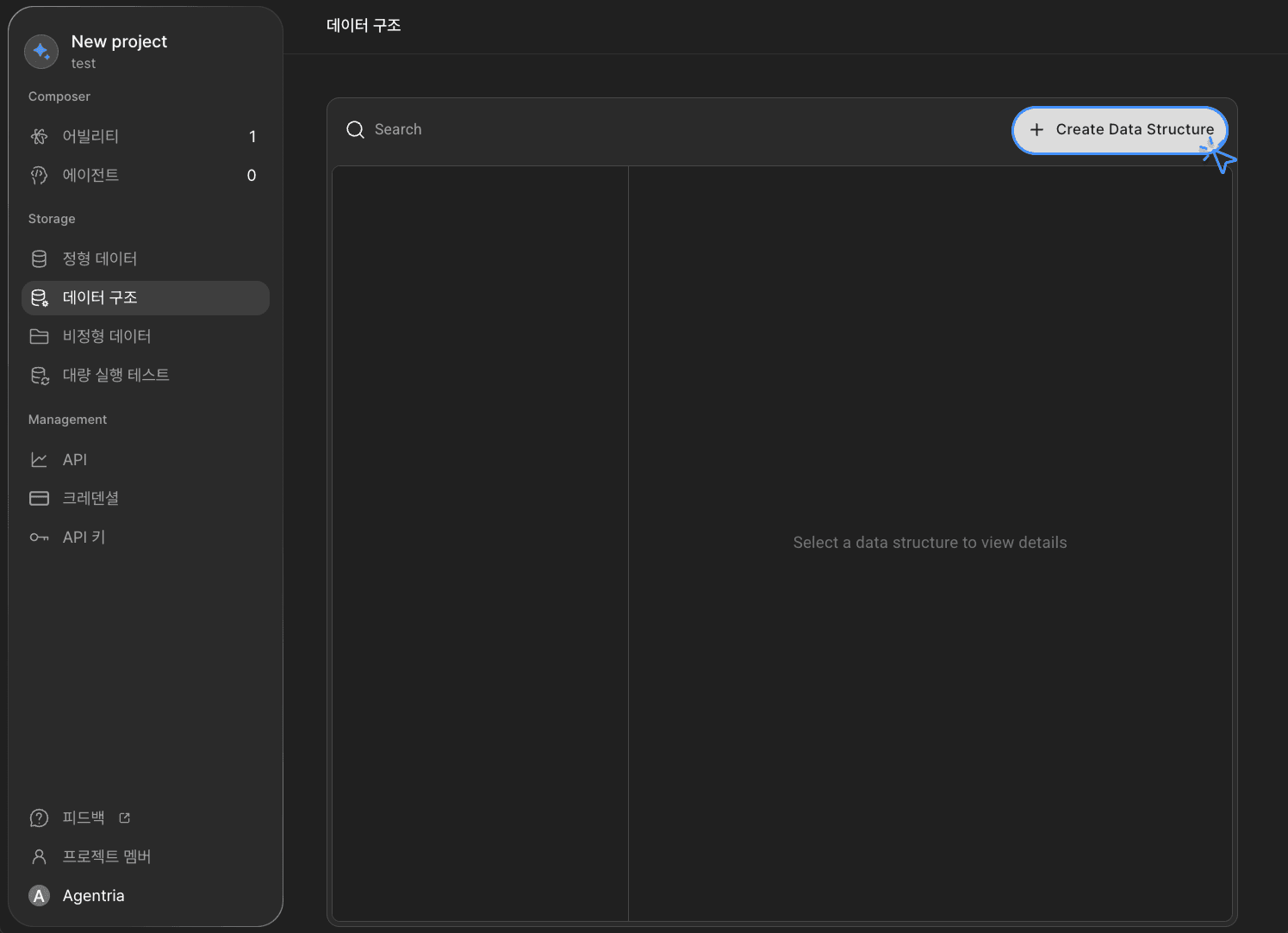
Create Data Structure: Click the
+Create Data Structurebutton at the top right to create a new structure.

Define and Edit Fields: Select an existing or newly created structure, then click
+Saveto save your changes.Type: Specify the data type of the field (e.g., Text, Number, Date, etc.).
Name: Assign a unique internal name for the field.
Required: Determine whether this field must be included when entering data.
Indexing: Choose whether to use this field as an index to improve search performance.
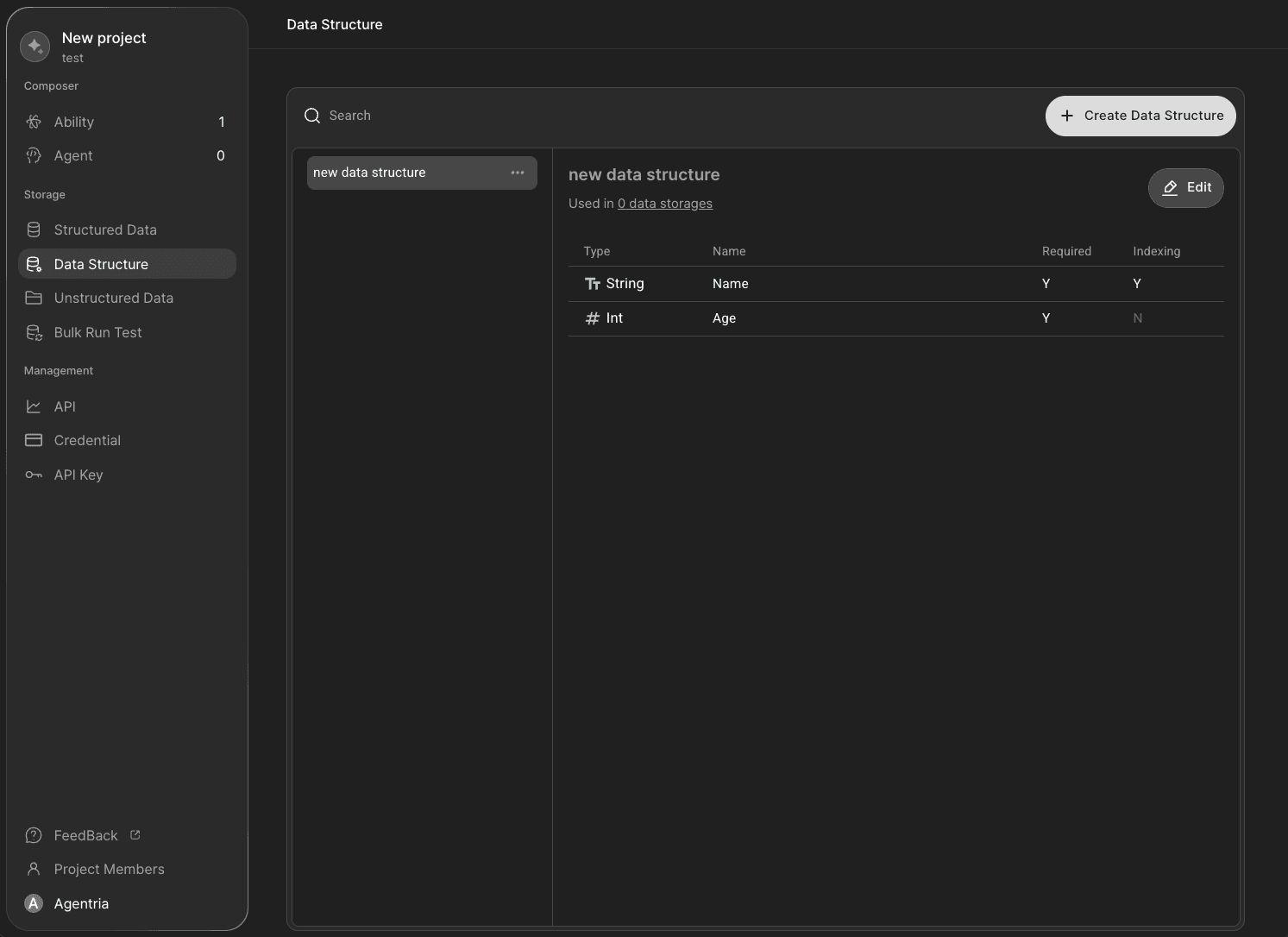
The completed structure displays the number of storages it’s currently used in (e.g., Used in 0 data storages).
When creating a structured data storage, you can select this structure to use it as the schema for actual data storage.
Click the
Editbutton to enter edit mode at any time.