Playwright Node
Learning to Use Nodes - Playwright Node
The Playwright node connects to a remote Playwright server (or a browser that supports CDP) to control a browser automatically. It runs a user-defined Playwright script for browser automation.
While the Web Request node is suited for talking to servers that return structured responses like a REST API, the Playwright node is for when you need real browser actions (navigating pages, clicking, typing, scrolling, extracting text/data, etc.) on a web page that has no API available. Agentria doesn't run the browser itself — it connects to a remote Playwright server you've already set up and controls the browser via Python code.
Adding the Node
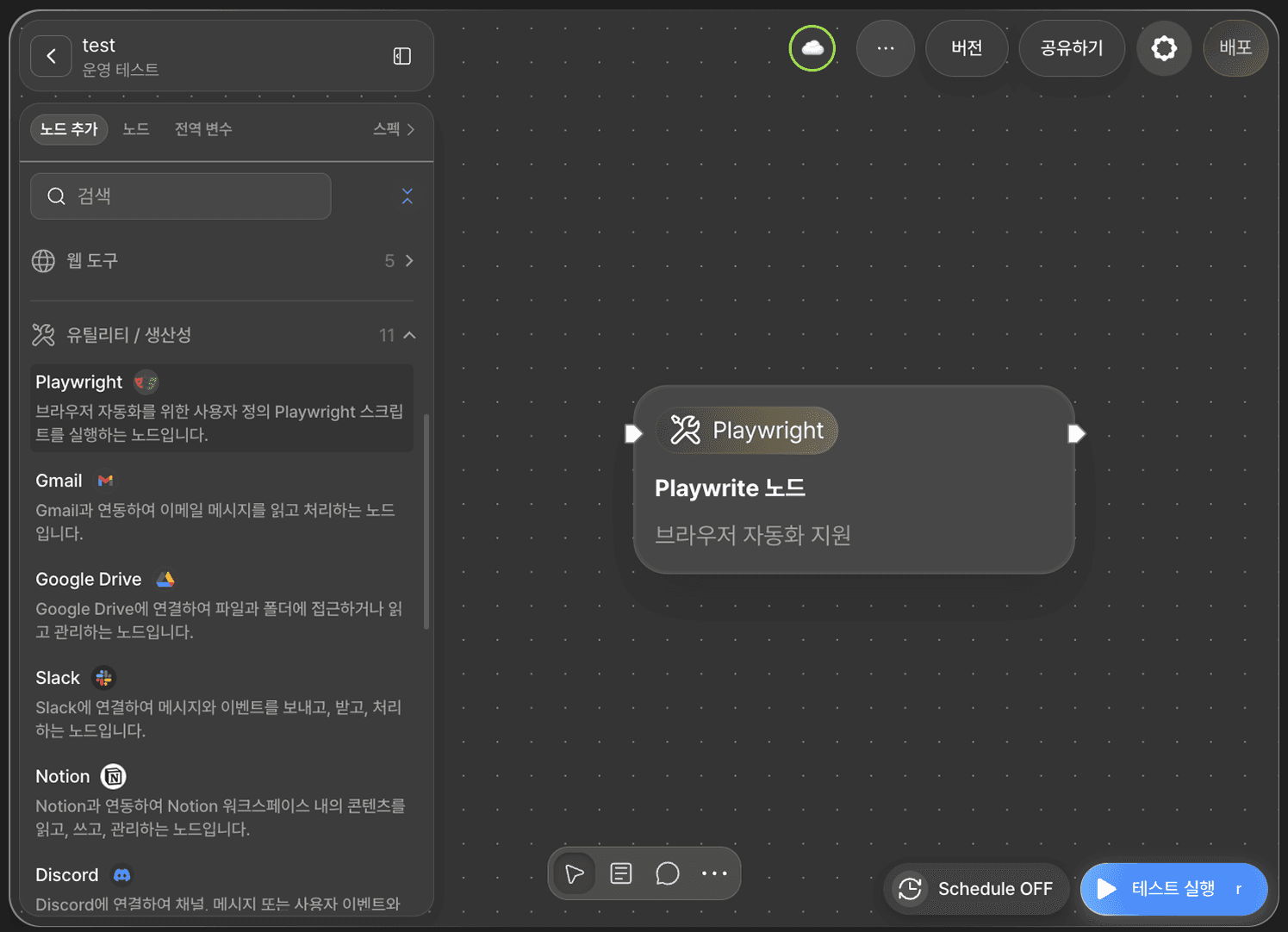
Click +Add Node on the canvas, then find and place the Playwright node under the Utility/Productivity category.
Fields
The Playwright node provides the following two fields by default.
Field | Description |
|---|---|
| The URL of the remote Playwright server to connect to. Supports |
| The field where you write Python code using the async Playwright API. |
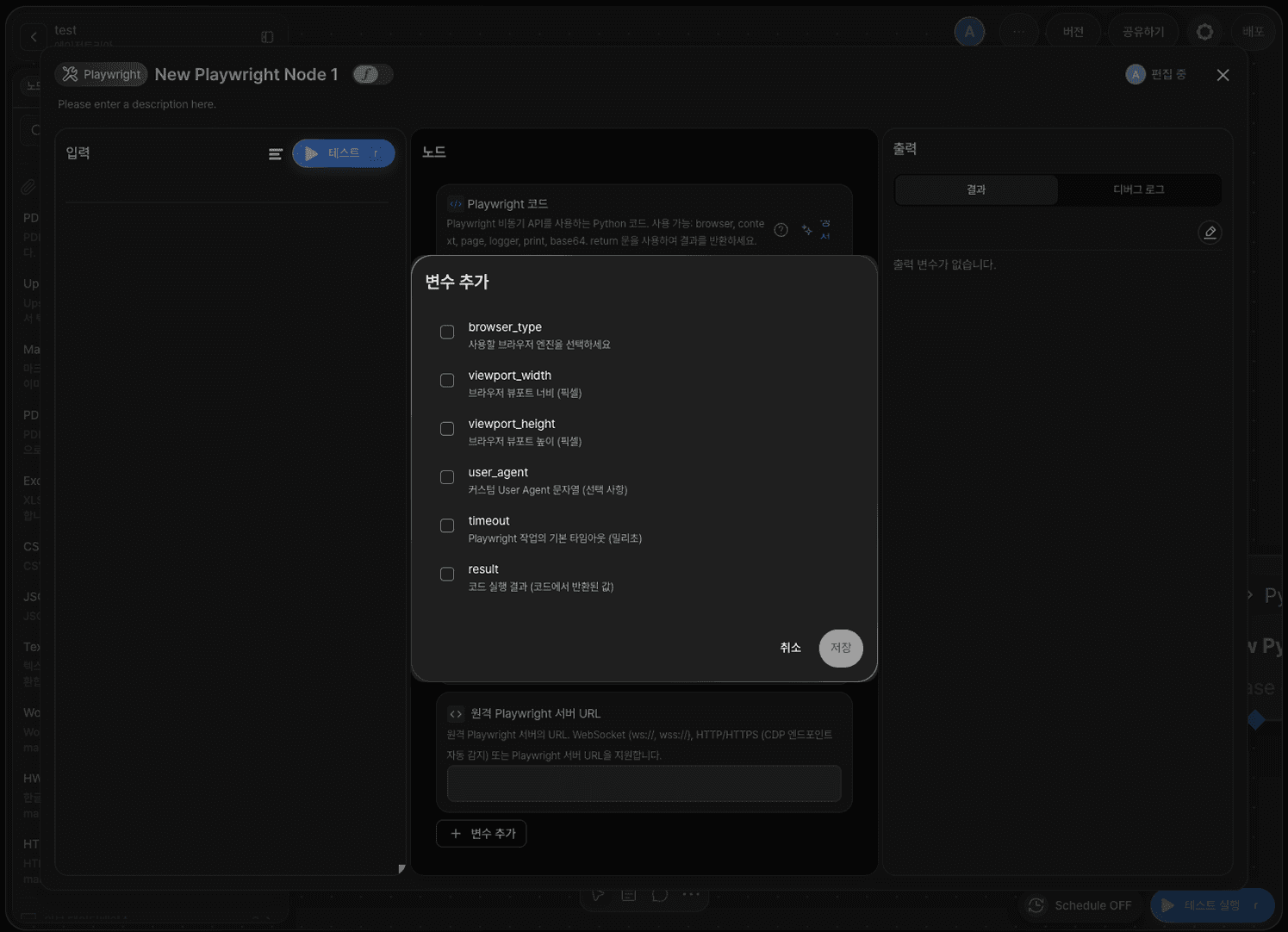
You can also add the following option variables as needed, by clicking +Add Variable in the Node Editor and checking them.
Variable | Description |
|---|---|
| The browser engine to use — |
| Browser viewport width (px). |
| Browser viewport height (px). |
| Custom User-Agent string. |
| Default timeout for Playwright operations (ms). |
| Output variable that holds the code's execution result (the value returned by the code). |
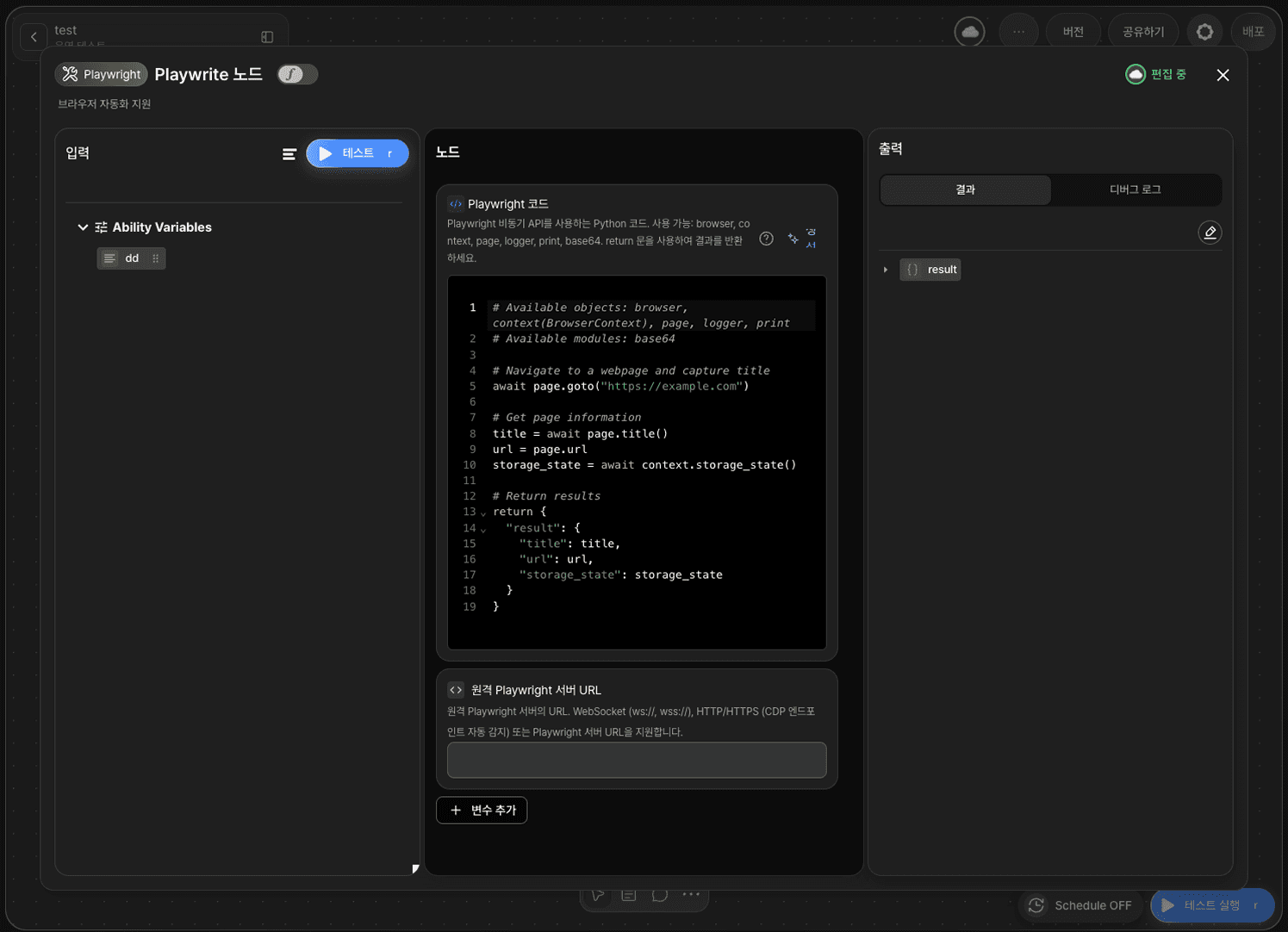
Writing the Playwright Code
Once you enter the server address in the remote_url field, you can start writing your automation logic directly in the code field. The code uses the async Playwright API, and the built-in objects below are already injected and connected — you don't need to write any code to connect to the server yourself.
browser— the browser instancecontext— the BrowserContext (cookies, storage, etc.)page— the current page (used most often)logger— for log outputprint— for console outputbase64— base64 encoding/decoding
Your code must follow these two rules.
You must return the result with a
returnstatement — the returned value is stored in theresultvariable.Every Playwright API call must use
awaitto call it asynchronously.
Here's the example code the node provides by default.
Common Usage Examples
Here are some frequently used page object calls.
await page.goto("URL")— navigate to a pageawait page.click("selector")— click an elementawait page.fill("input", "value")— type text into an input fieldawait page.screenshot()— capture a screenshotawait page.inner_text("selector")— extract text (scraping)await page.wait_for_selector("selector")— wait for an element to load
Testing and Checking the Result
Click RUN TEST to test the node and confirm it works correctly. The return value is stored in the result variable and passed on to the next node.