Agent Test
Agent testing allows you to execute the entire Agent workflow and verify the final output.
Through testing, you can confirm whether the automation is functioning correctly and continuously improve the workflow based on the results.
How to Test
Once your Agent workflow is complete, you can run the entire logic and evaluate its performance through a chat-based format.
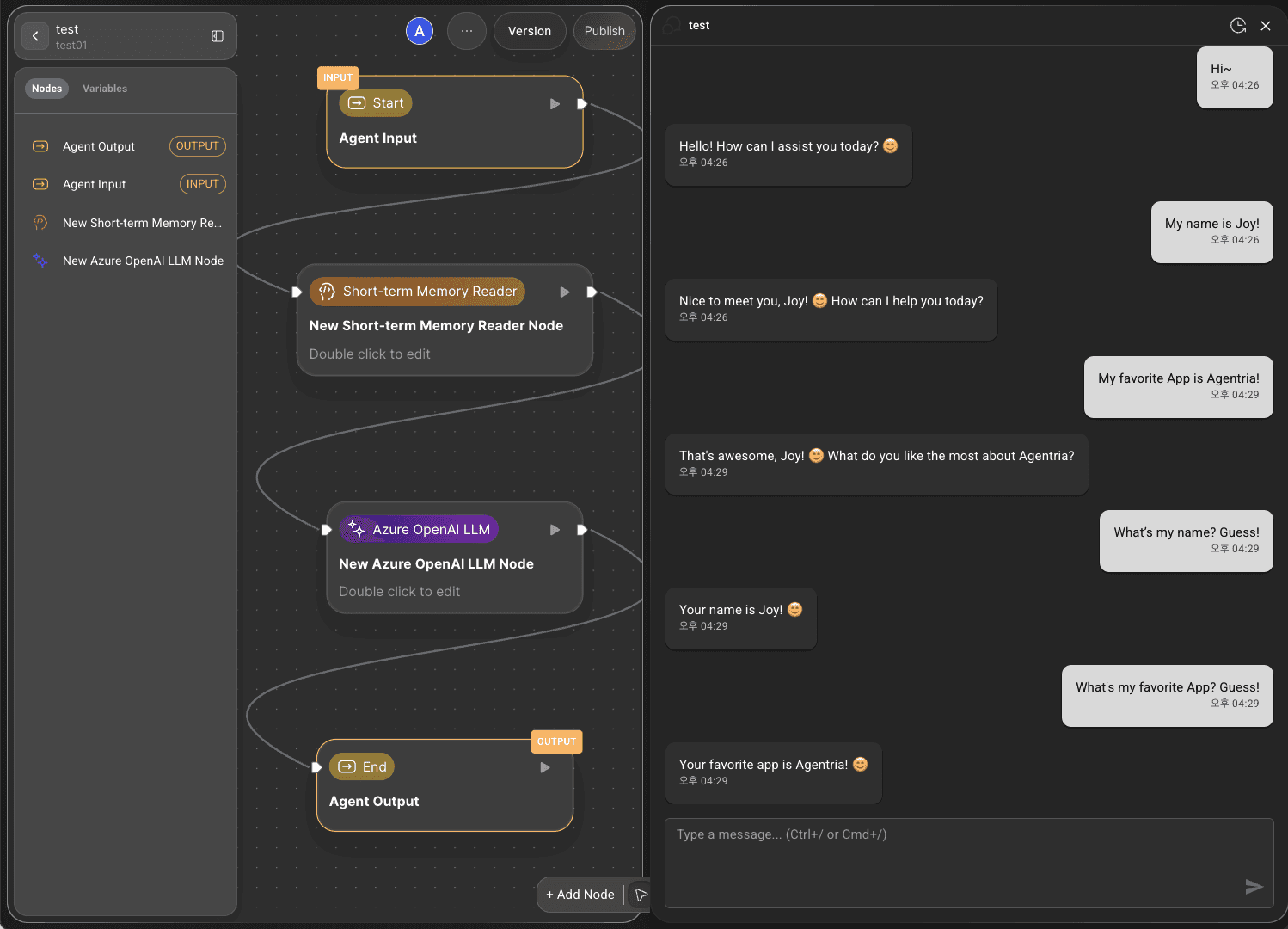
Run CHAT TEST: Click the
CHAT TESTbutton at the bottom-right corner of the canvas to execute the full AI Agent workflow.Chat Interface: Verify that interactive communication and real-time feedback work smoothly through the conversational testing interface.
Memory Utilization: If short-term or long-term memory nodes are used, check whether chat data is stored properly and if context from previous conversations or tasks is maintained.
Chat History Management: Click the clock-shaped icon at the top-right of the test screen to view and manage your chat history list.
Conversation generation trace
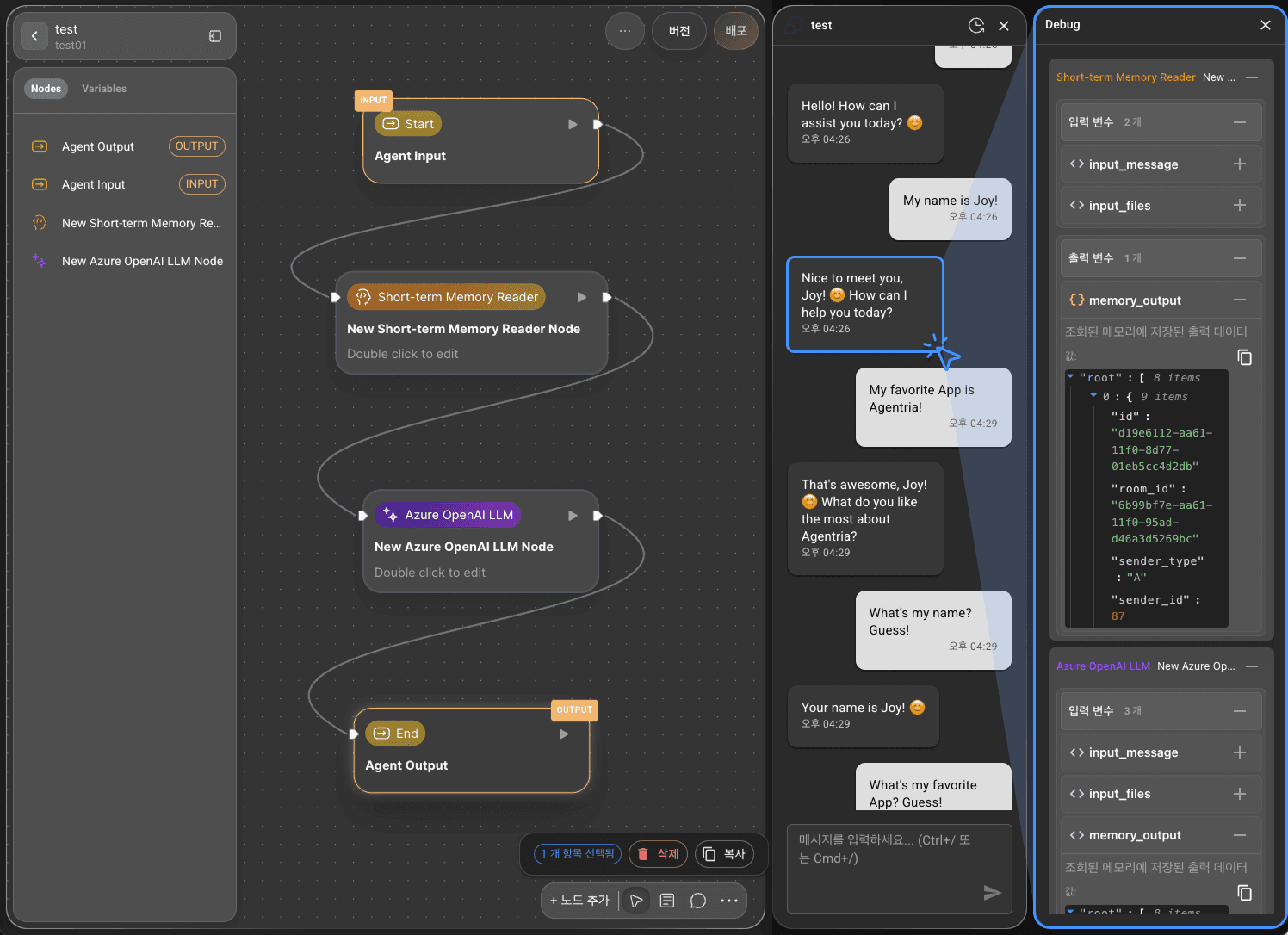
In Chat Test, the Agent provides a detailed view of how conversations are generated, enabling precise understanding of the underlying logic.
Configure the agent workflow and run Chat Test
Conduct an interactive test with the agent
Click the agent’s answer to open the Debug sidebar and inspect detailed information about conversation generation.