Ability Test
Ability Testing is a feature that executes the entire Ability workflow to verify the final result.
Through testing, you can check whether automation is running properly and continuously improve the workflow based on the results.
How to Test
Once the Ability workflow is complete, run the entire logic in the following order.
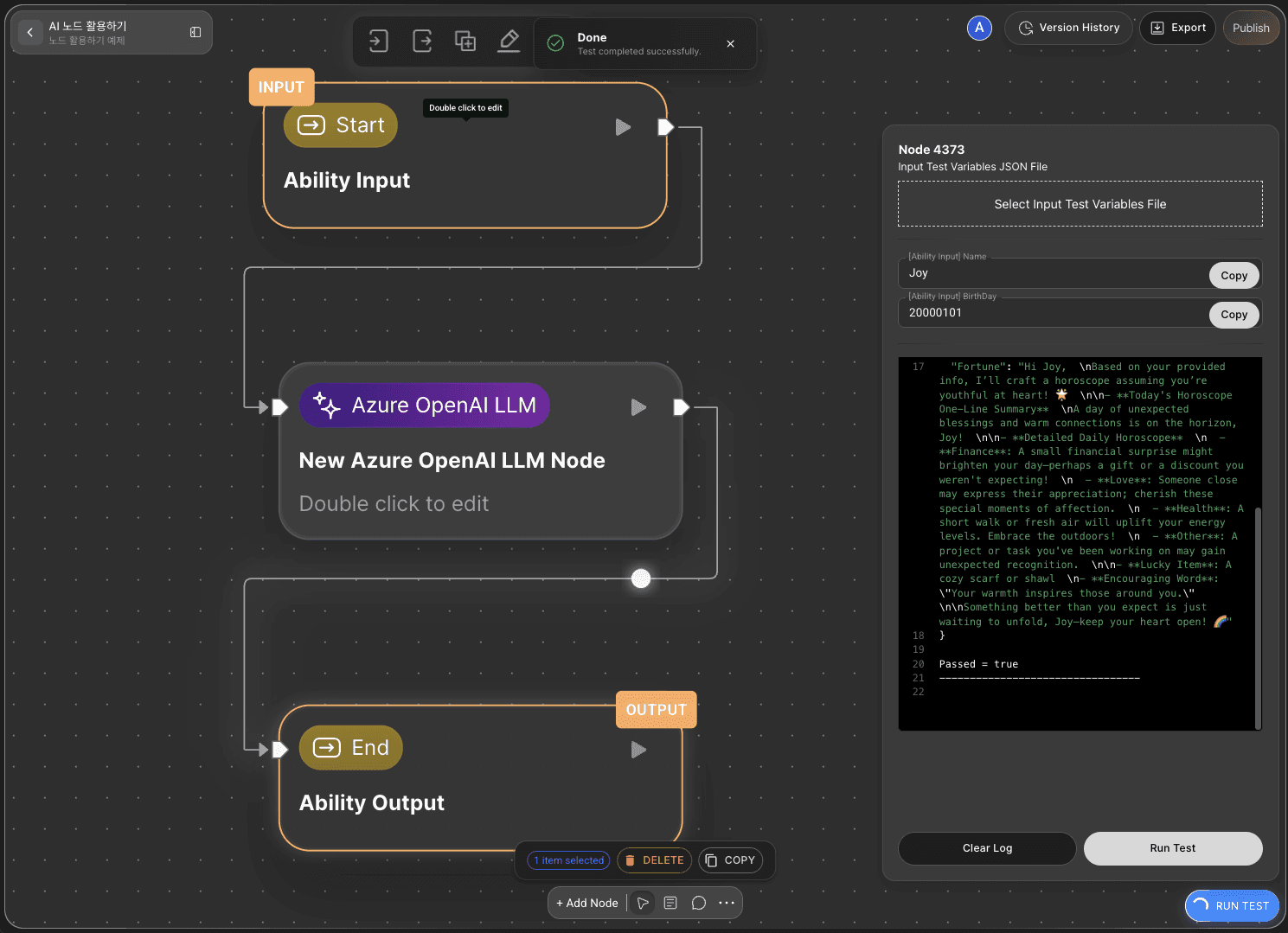
Run Test: Click the
RUN TESTbutton at the bottom-right corner of the canvas to execute the full Ability workflow.Set and Pass Input Values: Before execution, configure the input values (data, parameters) required for the test. These inputs will sequentially pass through the connected edges and nodes until they reach the End Node.
Verify Execution: While running, you can visually confirm each node and edge being activated. You can also check the progress and results in the debugMessage window.