Structure
External Structure of Nodes
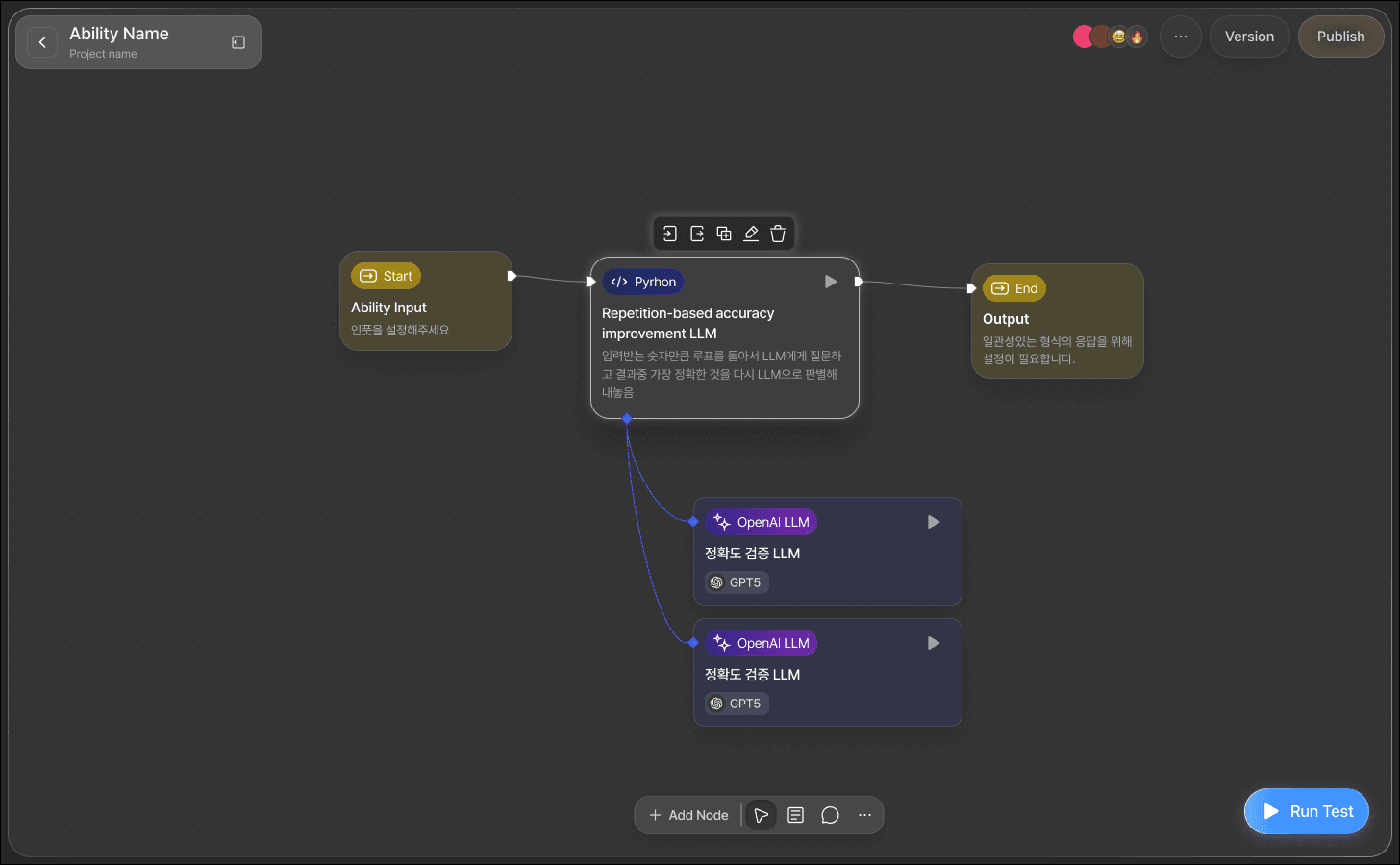
You can grasp the overall role of a node and the direction of data input/output at a glance.
Node
This area displays the node's core information (type, title, content).
Pin
These are connection points located on the left and right sides of a node, used for exchanging data.
In-Pin: Located on the left side of a node, this is the point where data is received from other nodes or external systems.Out-Pin: Located on the right side of a node, this is where processed data is transmitted to the next node or system.Function-Pin: Can be configured for function features and utilized within a Python Node.
Each connector is connected to other nodes via edges to exchange data.
Internal Structure of Nodes
Double-clicking a node on the canvas will take you to the Node Editor for detailed settings for the node.
Except for the mandatory
Start NodeandEnd Node, most nodes are broadly divided into three parts: Input, Settings, and Output.
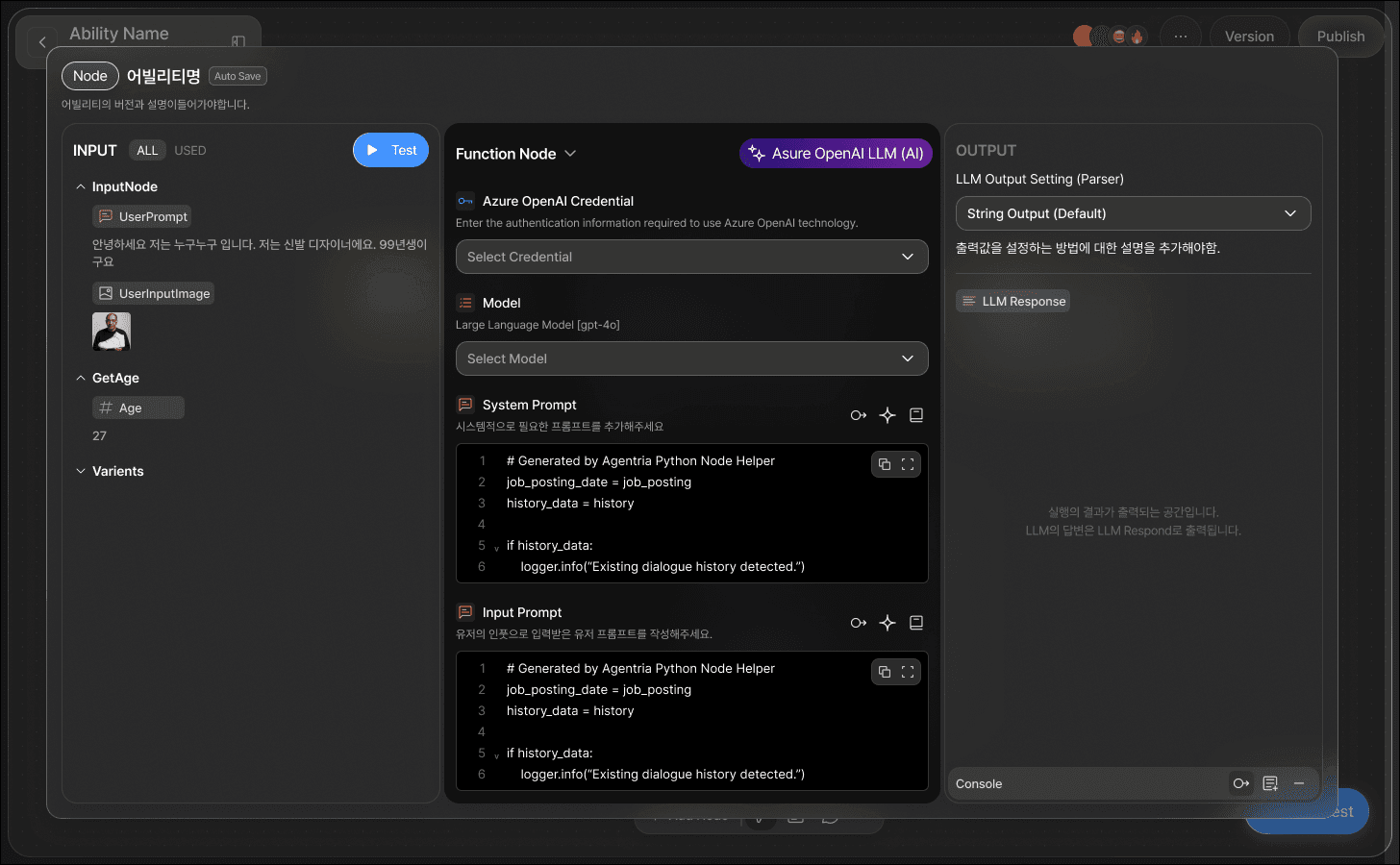
Input Section
You can see what data is input through the
In-Pin.
Edit Section
This section configures the node's core functionality. The input varies depending on the node type.
Output
Defines what data the node outputs through the
Out-Pinafter completing its task.