Key Features
If you have completed a workflow in Agentria, you can deploy it as an API and use it across various tasks.
To deploy an API, you must first create a deployment version of the workflow.
Importance of Version Management
Proper version management offers the following benefits:
Clearly track and review change history.
Reduce confusion and conflicts during team collaboration.
Safely roll back to a stable previous version if issues occur.
Provide reliable updates to end users.
Through this page, you will learn the criteria for increasing version numbers, how to actually create a new version, and how to review version history.
Versioning Standards
Agentria projects follow Semantic Versioning.
(Reference: 🔗https://semver.org/)
A version number is composed in the format: Major.Minor.Patch
Major version: Increased when backward compatibility is broken.
Minor version: Increased when new features are added without breaking backward compatibility.
Patch version: Increased for bug fixes, security patches, or small performance improvements.
Examples:
1.4.2 → 1.4.3 (bug fix)
1.4.2 → 1.5.0 (feature added)
1.4.2 → 2.0.0 (backward incompatibility introduced)
Step1: Creating a Version
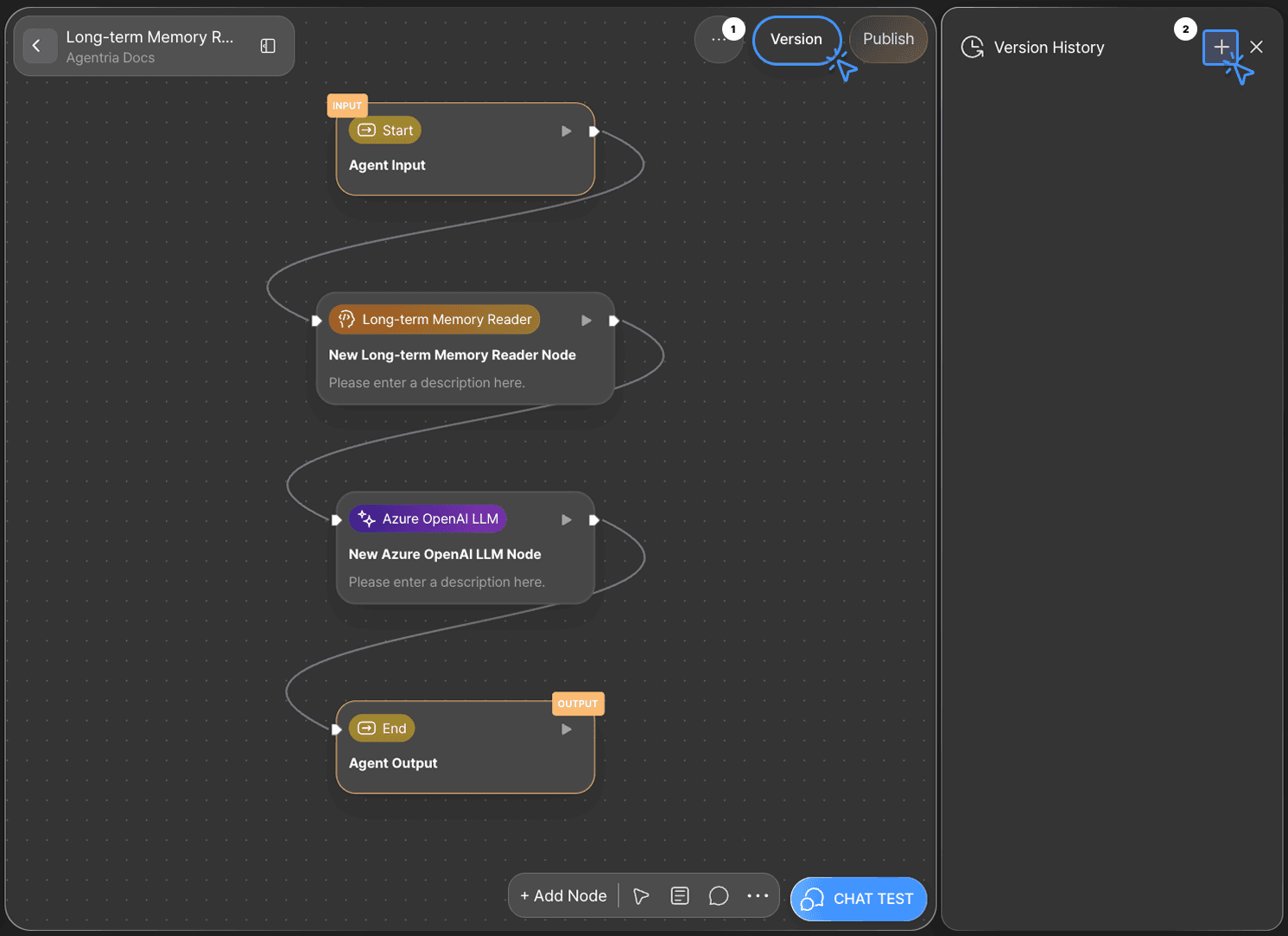
Click the Version button at the top-right corner of the canvas, then select + icon(Create Version).
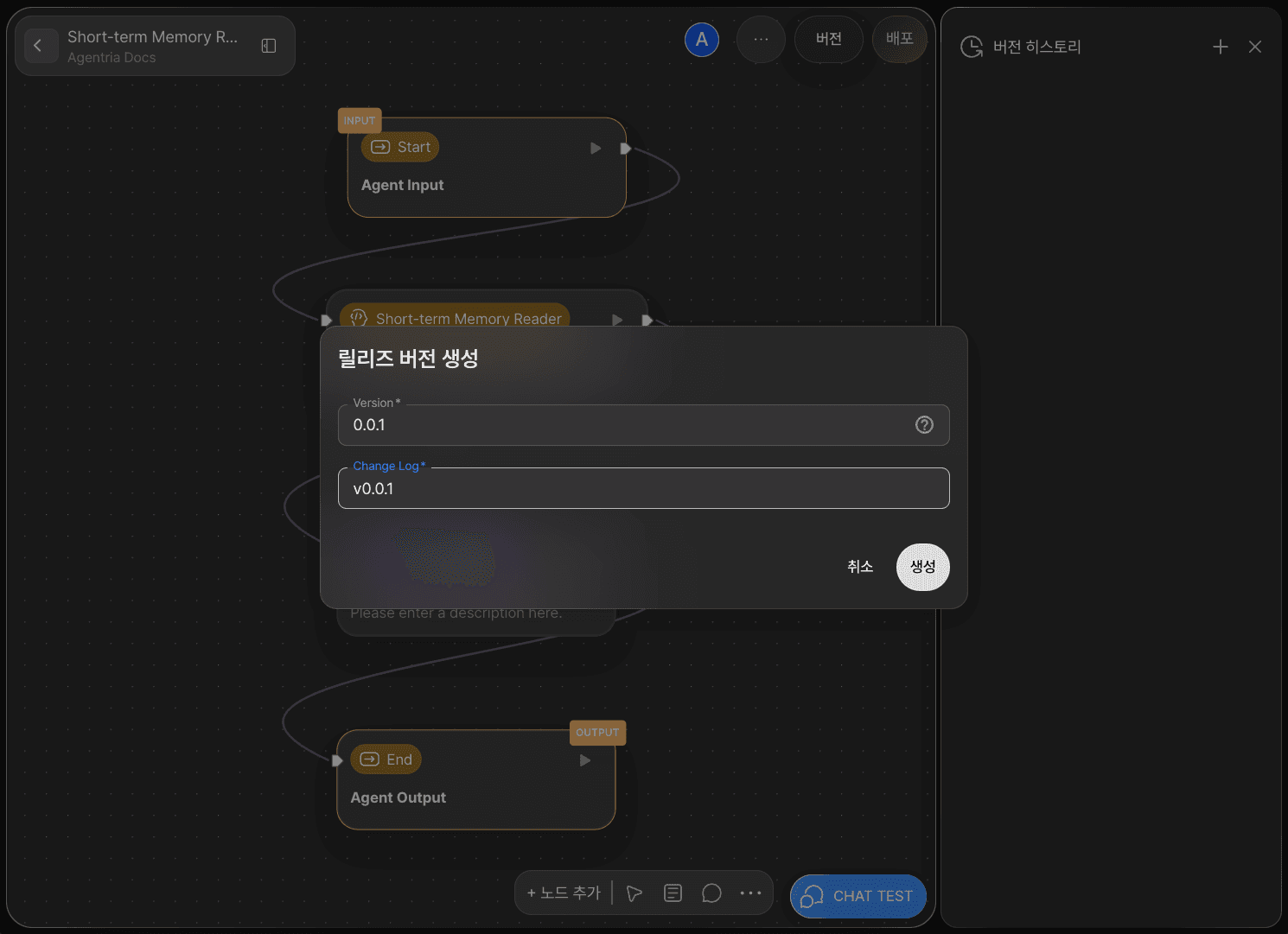
In the pop-up window, you can create a deployment version.
Enter the version number and description according to the semantic versioning standard, then click Create.
Step2: Checking Version History
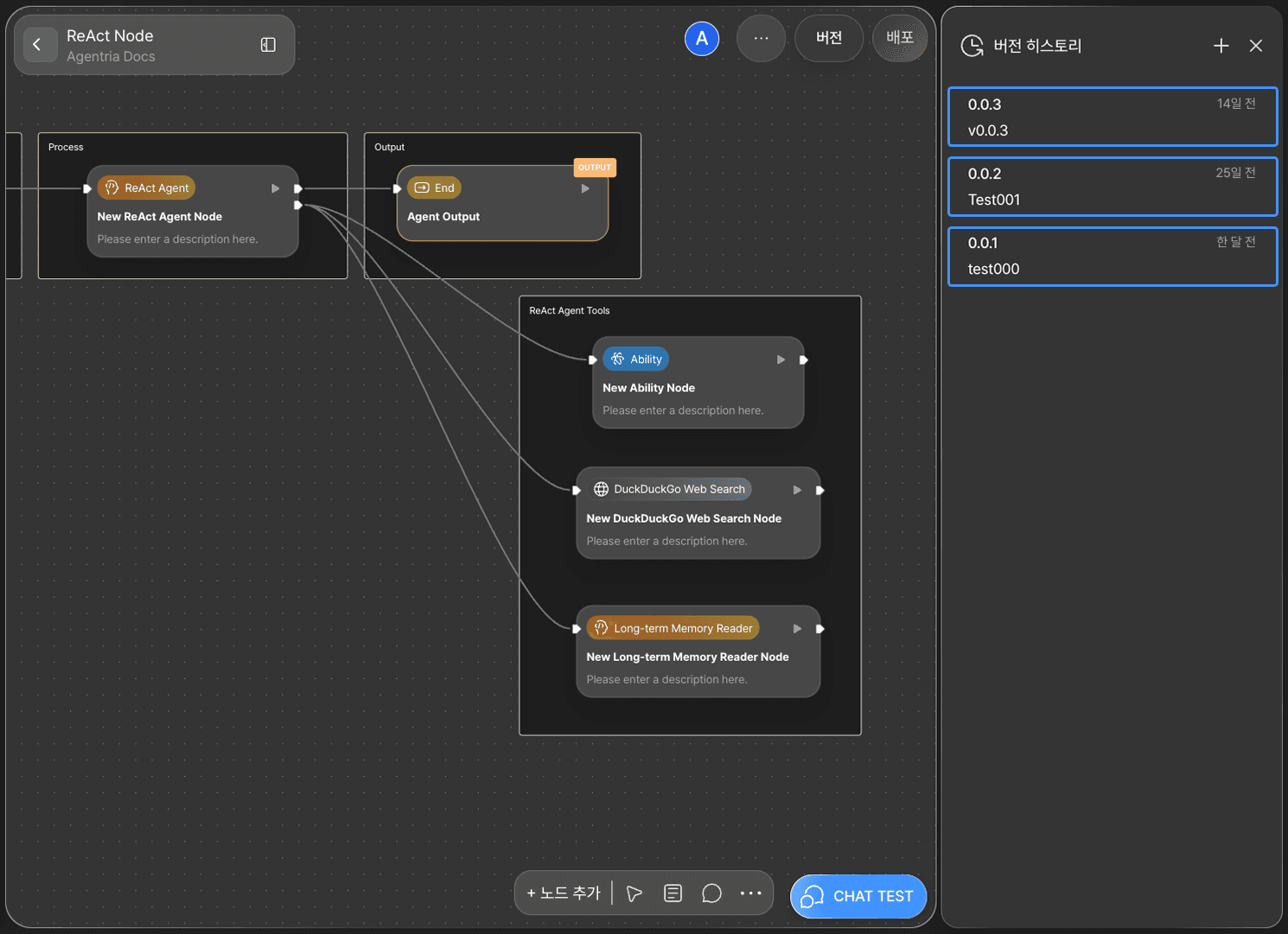
Each version can be viewed in the History tab.
Step 3: Rollback
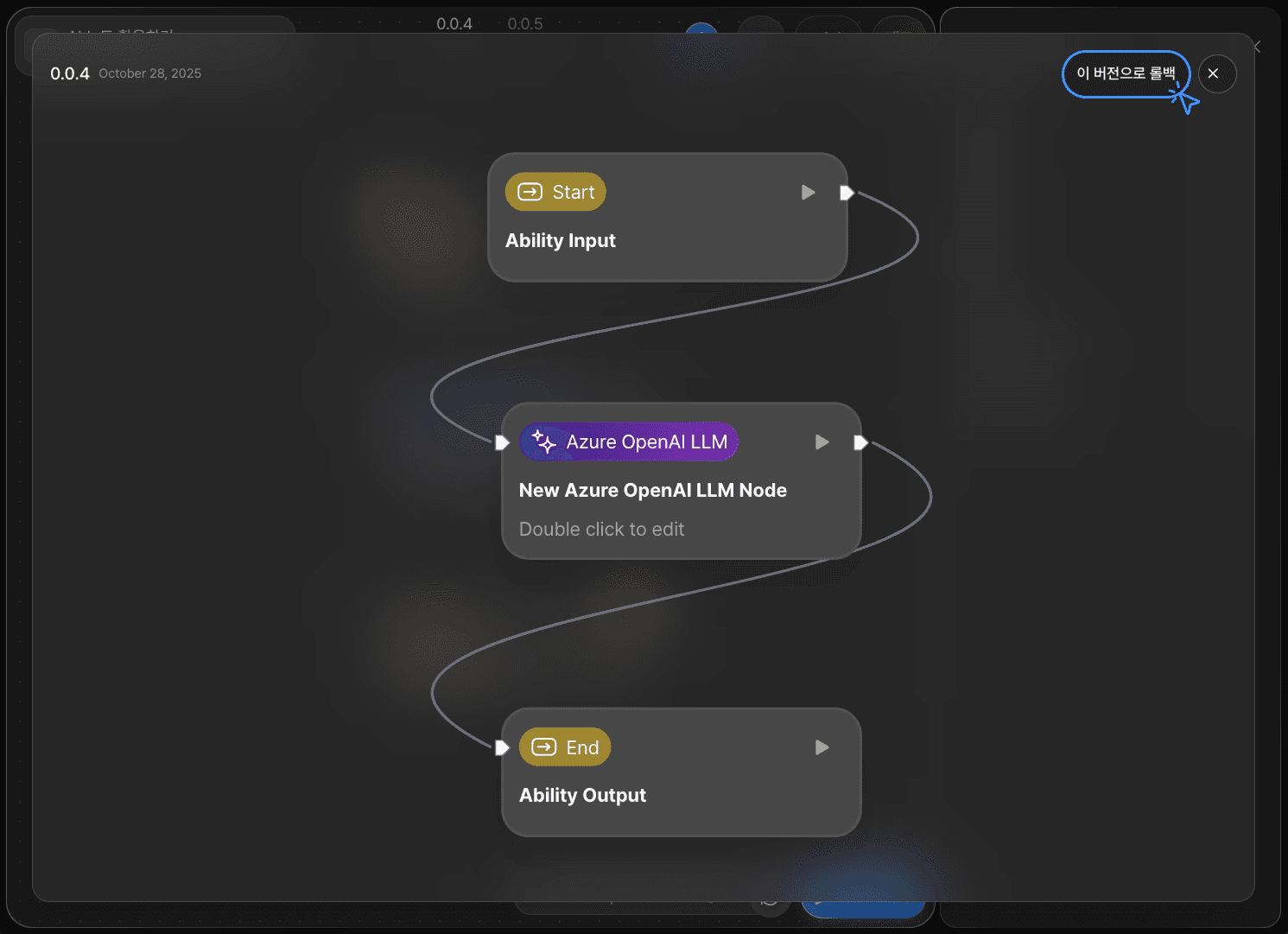
By selecting a specific version, you can easily review all the nodes included in that version at a glance.
Clicking the Rollback to this version button will revert your workflow to the selected version.
If you perform a rollback without first creating a version of your current work, all unsaved changes and test history will be permanently lost and cannot be restored.
Therefore, it is strongly recommended to create a version of your current state before performing a rollback.