Node Test
Node Testing is a feature that lets you run an individual node directly from the Node Editor to verify its behavior.
By testing variables, prompts, and code execution independently, you can catch errors early—before nodes are connected—helping ensure a stable and reliable workflow.
How to Test

Run a Test: Click the
TESTbutton at the top-right corner of the Input section in the Node Editor.Set Test Values: If the node requires variable input, you can either manually enter values in the test window or upload a JSON file with test data.
Execute Node: Press the
Testbutton at the bottom to run the node. You can track progress and results in thedebugMessagewindow.Export Variables: Click
Export Variablesto download the test variables in JSON format.
Viewing History
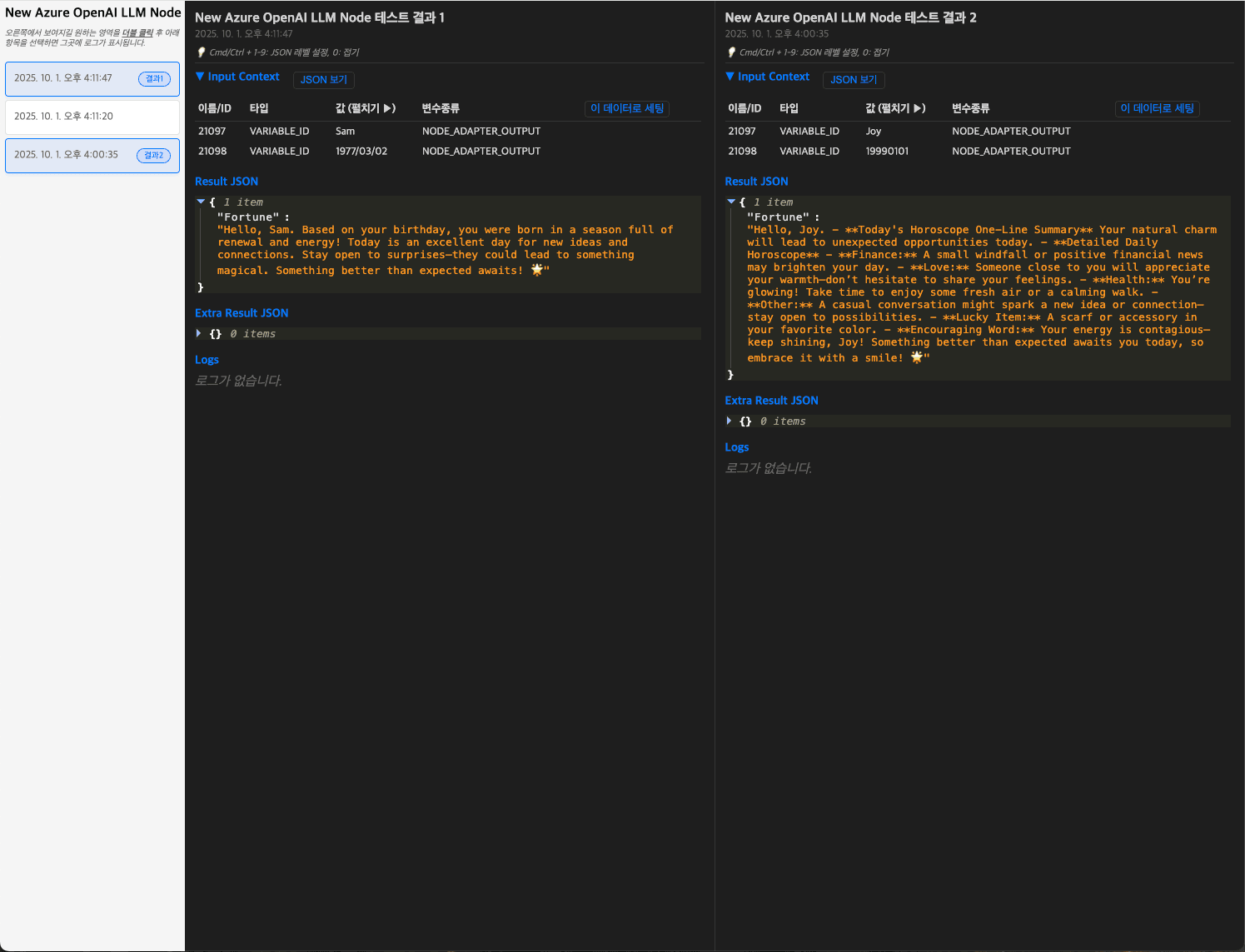
You can review the input values, results, and logs of each test execution.
Check Test Records: In the Node Test window, click
Historyto see past test inputs, results, and logs.Compare Results: View and compare multiple test results side by side.
Reproduce Tests: Click
Set with this Datato reapply specific test data and rerun the test.