Get Started
노드 사용법 익히기 - Google Drive 노드
Google Drive 노드는 Google Drive API를 호출해 파일·폴더·공유 드라이브를 관리하는 노드입니다. Google Drive에 연결하여 파일과 폴더에 접근하거나 읽고 관리할 수 있습니다.
파일 업로드·다운로드·조회·검색·복사·이동·수정·삭제, 폴더 생성·삭제·공유, 공유 드라이브 조회·생성·삭제까지 Google Drive의 주요 기능을 하나의 노드에서 "작업(Operation)"을 선택하는 방식으로 사용합니다. 노드를 사용하려면 먼저 구글 계정 인증이 완료된 크리덴셜(Credential)이 필요합니다.
노드 추가하기
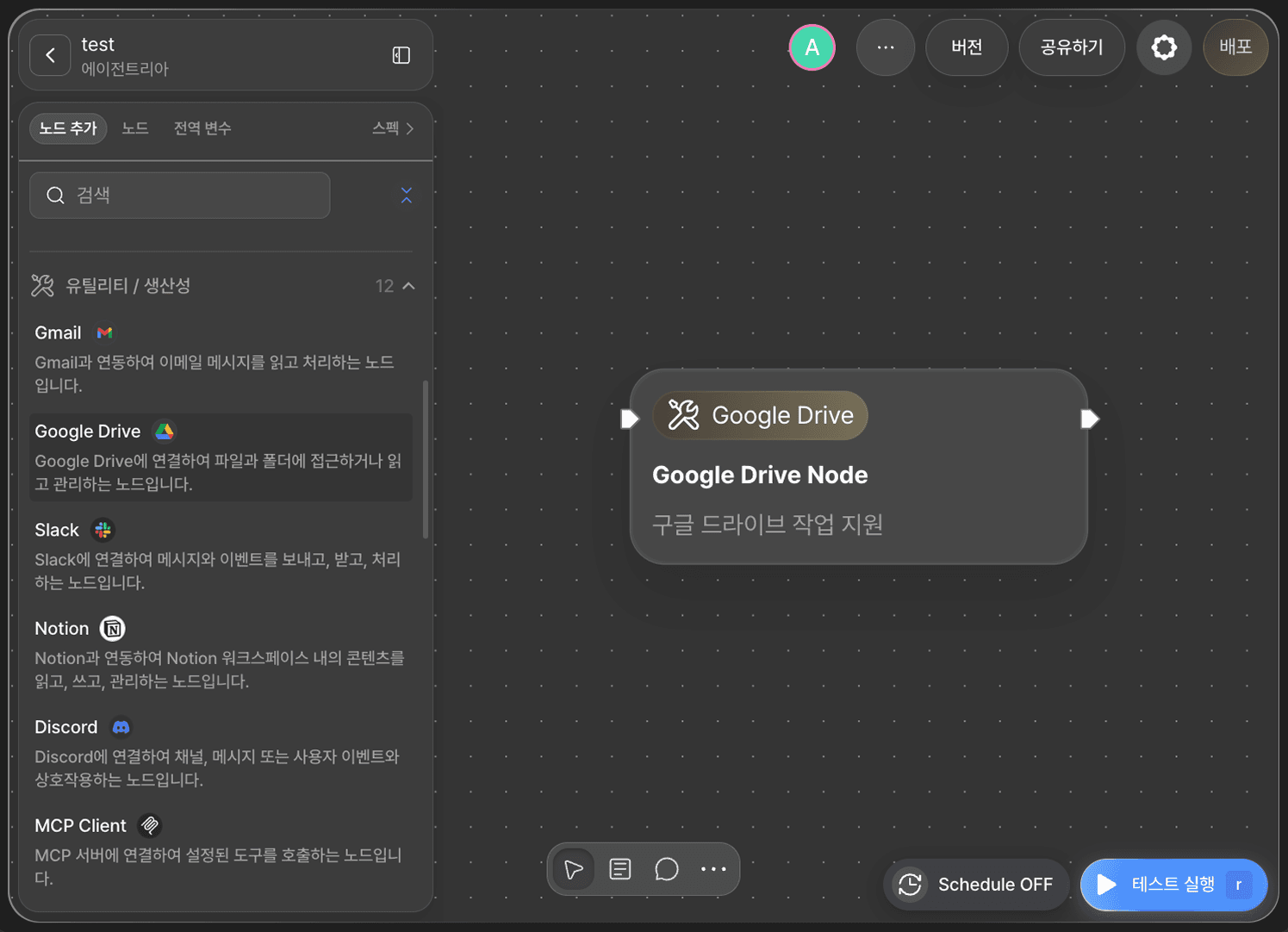
캔버스에서 +노드 추가(Add Node)를 클릭하고 유틸리티/생산성(Utility/Productivity) 카테고리에서 Google Drive 노드를 찾아 배치합니다.
크리덴셜 설정하기

노드를 더블 클릭해 편집기를 열면 가장 먼저 크레덴셜 드롭다운이 보입니다. 노드 실행에 사용할 구글 크리덴셜을 선택합니다.
등록된 크리덴셜이 없다면 노드를 실행할 수 없습니다. 🔗구글 크리덴셜 설정 가이드를 먼저 진행해 크리덴셜을 등록합니다.
작업(Operation) 선택하기
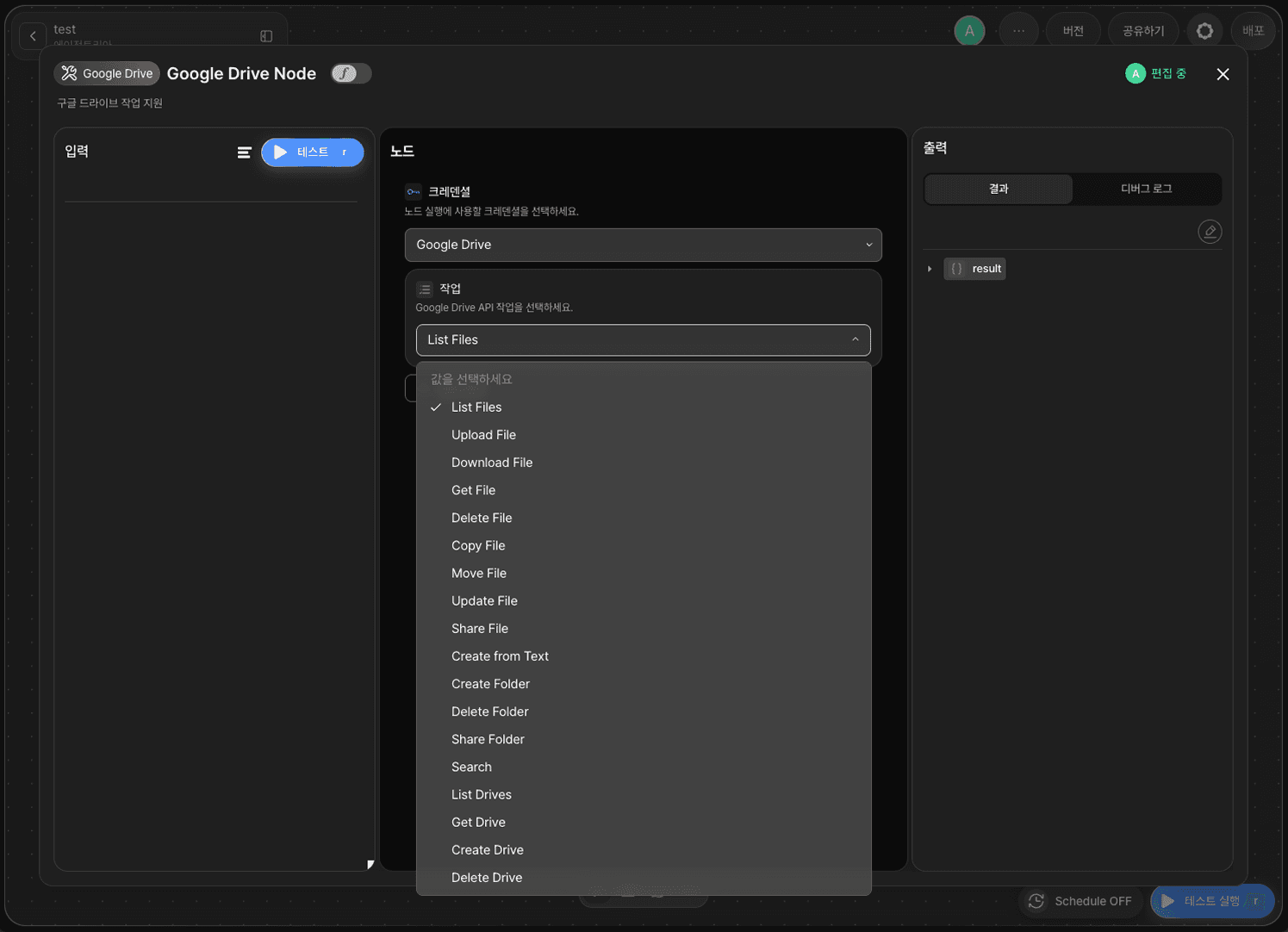
작업(Operation) 드롭다운에서 수행할 Google Drive API 작업을 선택합니다. 아래 18개 작업을 지원합니다.
List Files, Search — 파일 조회·검색
Upload File, Download File, Get File, Delete File, Copy File, Move File, Update File, Share File, Create from Text — 파일 업로드·다운로드·조회·삭제·복사·이동·수정·공유·텍스트로 생성
Create Folder, Delete Folder, Share Folder — 폴더 생성·삭제·공유
List Drives, Get Drive, Create Drive, Delete Drive — 공유 드라이브 조회·생성·삭제
작업을 선택하면 + 변수 추가 버튼으로 해당 작업에 필요한 옵션 변수를 추가할 수 있습니다. 작업별 옵션 변수는 아래 표를 참고합니다.
작업 | 옵션 변수 |
|---|---|
List Files |
|
Upload File |
|
Download File |
|
Get File |
|
Delete File |
|
Copy File |
|
Move File |
|
Update File |
|
Share File |
|
Create from Text |
|
Create Folder |
|
Delete Folder |
|
Share Folder |
|
Search |
|
List Drives |
|
Get Drive |
|
Create Drive |
|
Delete Drive |
|
옵션 변수 이름은 다음과 같은 의미를 가집니다.
변수 | 설명 |
|---|---|
| 대상 파일·폴더·공유 드라이브의 ID |
| 파일·폴더·공유 드라이브의 이름 |
| 업로드·수정할 파일 내용 |
| 파일의 MIME 타입 |
| 상위 폴더 ID |
| 검색 조건 (Google Drive 검색 쿼리 문법) |
| 반환할 최대 결과 개수 |
| 다음 페이지 조회용 토큰 |
| 휴지통에 있는 항목 포함 여부 |
| 다운로드 시 변환할 파일 형식 (Google Docs 등 내보내기용) |
| 부여할 권한 역할 (예: 편집자, 뷰어 등) |
| 권한 대상 유형 (사용자, 그룹, 도메인 등) |
| 권한을 부여할 대상의 이메일 주소 |
| 요청 타임아웃 |
결과 확인
작업 실행 결과는 result 변수(Object 형식)에 담겨 다음 노드로 전달됩니다. result는 고정 아웃풋 변수로, 별도로 추가하거나 수정할 수 없습니다.
테스트 실행(RUN TEST) 버튼으로 노드를 테스트해 정상 동작을 확인합니다.