Key Concepts
What is Storage?
Ability and Agent workflows work with all kinds of data as they run, and if you want to reuse that data in a later run, it has to be stored somewhere. Agentria provides a concept called Storage for saving and managing this kind of data.
Storage handles structured data and unstructured data differently, and it's made up of four features: Data Storage, Data Structure, Bulk Run Test, and Slipbox.
Storage: A Home for Structured and Unstructured Data
Under the Storage menu in the project sidebar, you'll find four submenus grouped together: Data Storage, Data Structure, Bulk Run Test, and Slipbox.
Storage splits into two branches depending on the nature of the data. Structured data, where columns and types are clearly defined, is managed in a Data Storage built on a Data Structure. Unstructured data, which has no fixed format the way a document doesn't, is managed in a Slipbox.
On top of these two storage methods, Agentria also provides Bulk Run Test. Bulk Run Test uses the data accumulated in a Data Storage to run an ability at scale and verify its results — which means your structured data setup needs to be in place before you can use it.
Structured Data: Data Structure and Data Storage
Structured data is managed in two stages: Data Structure, then Data Storage.
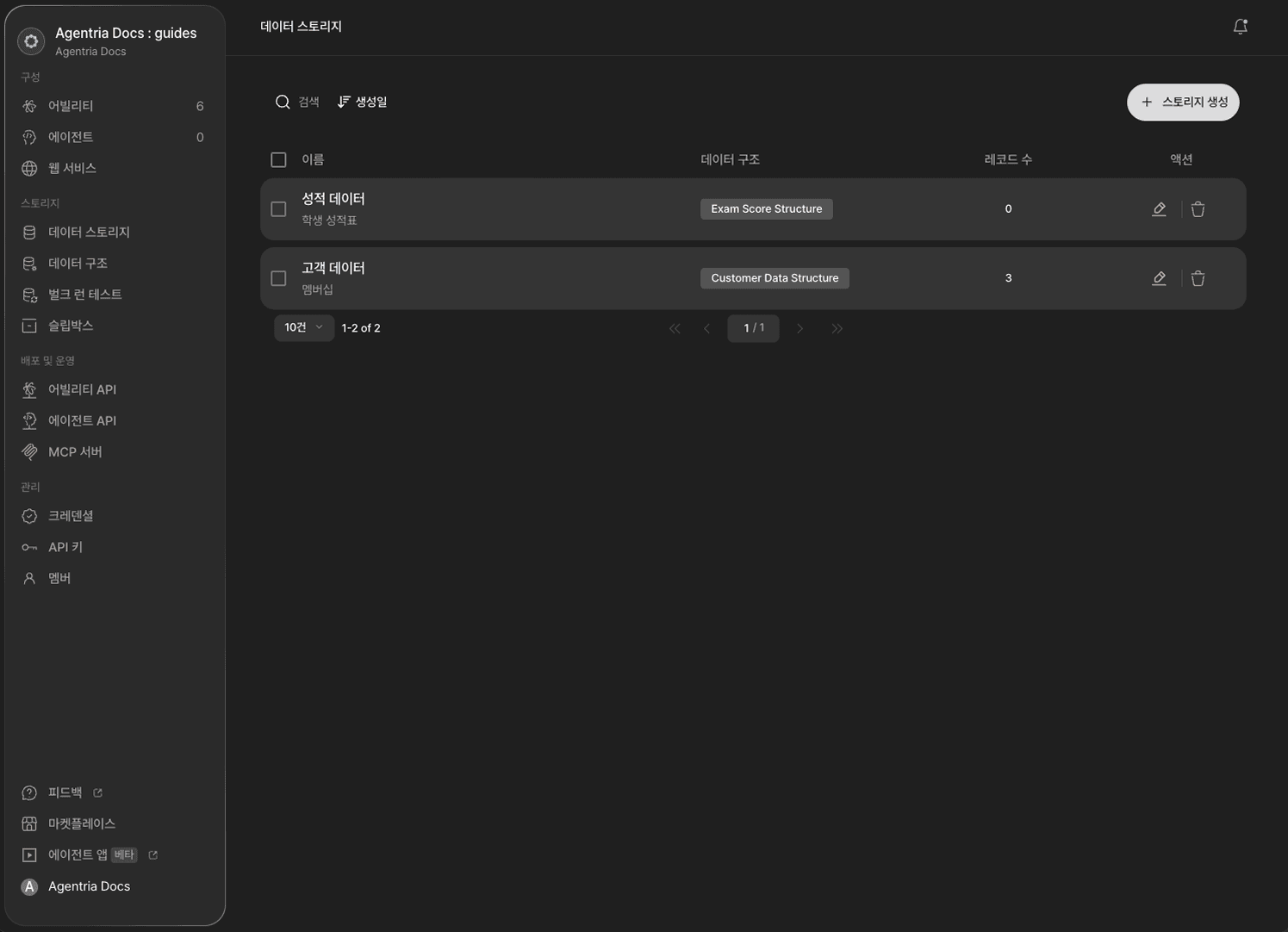
A Data Structure is the schema that defines the column names, types, whether each field is required, and whether it's indexed for the data you'll store. Each Data Structure supports indexing on up to 3 fields, and indexed fields make later searches and filters faster.
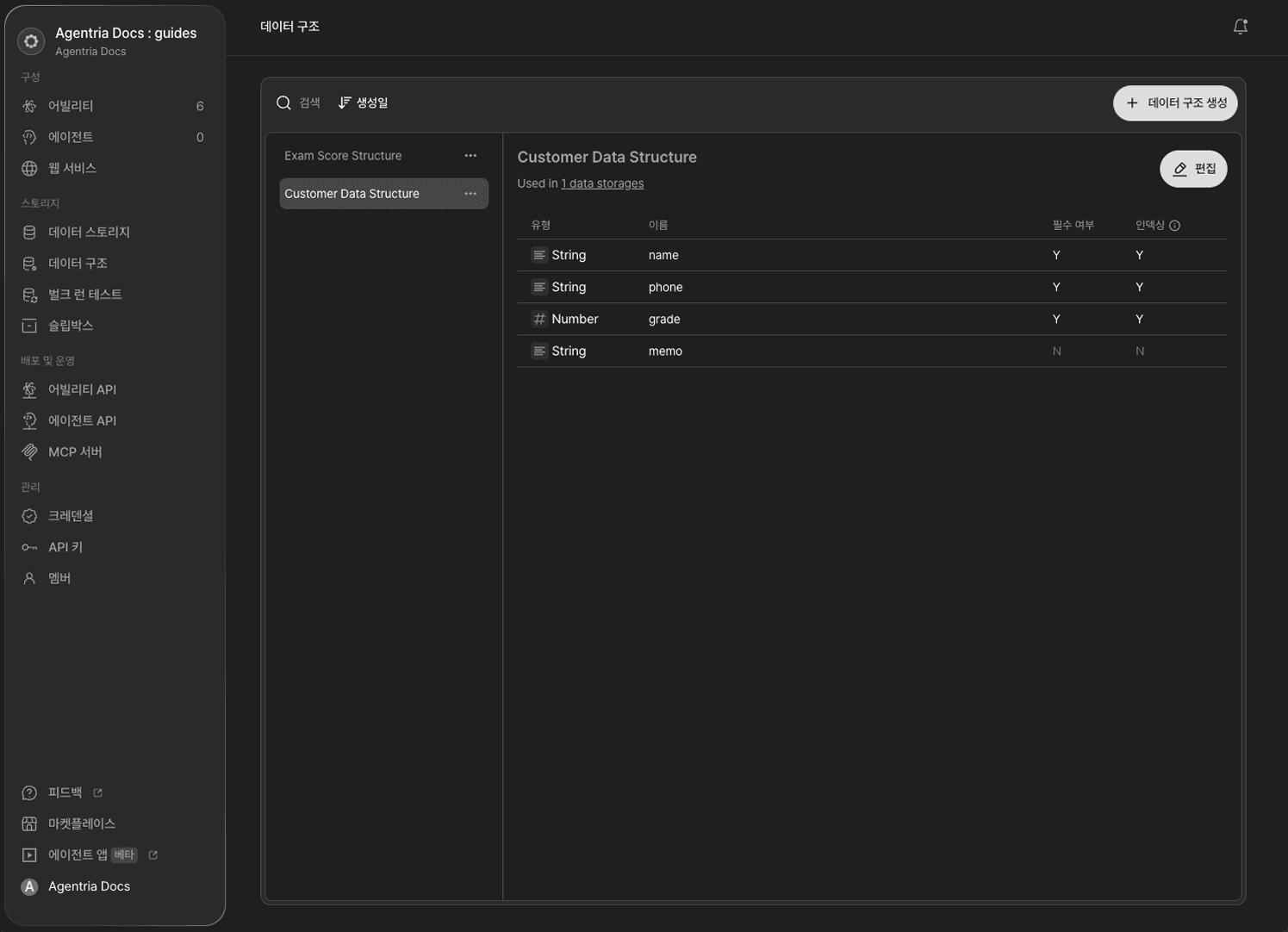
A Data Storage is the actual storage you create by selecting one of these Data Structures. In other words, you have to define a Data Structure first before you can build a Data Storage on top of it — you can't create a Data Storage on its own without one.
Once a Data Storage is ready, you can save, retrieve, update, and delete its data from within a workflow using the DB Writer, DB Reader, DB Updater, and DB Deletor nodes.
Unstructured Data: Slipbox
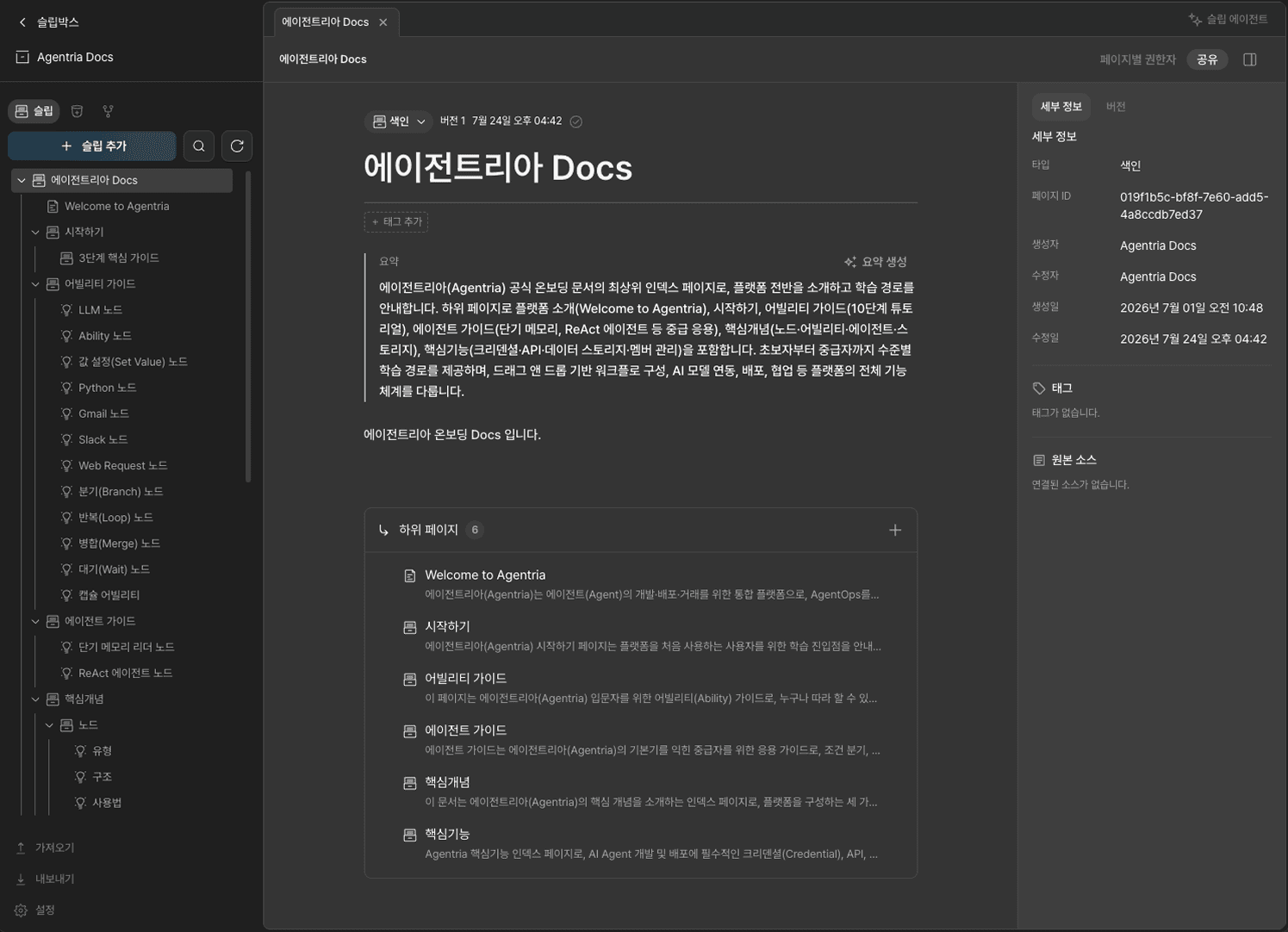
Slipbox is a knowledge brain built for decision-making agents. It turns the implicit judgment criteria and business rules that product managers or support agents rely on into a knowledge system that an agent can read and act on directly, so the agent can find the documents it needs and produce real work results.
Instead of predefining columns and types the way a Data Structure does, Slipbox organizes knowledge hierarchically as Slip-level documents — indexes, notes, and so on. That said, Slipbox doesn't cover every kind of unstructured data yet; some formats, like video, aren't supported yet.
Bulk Run Test: Large-Scale Testing with Storage Data
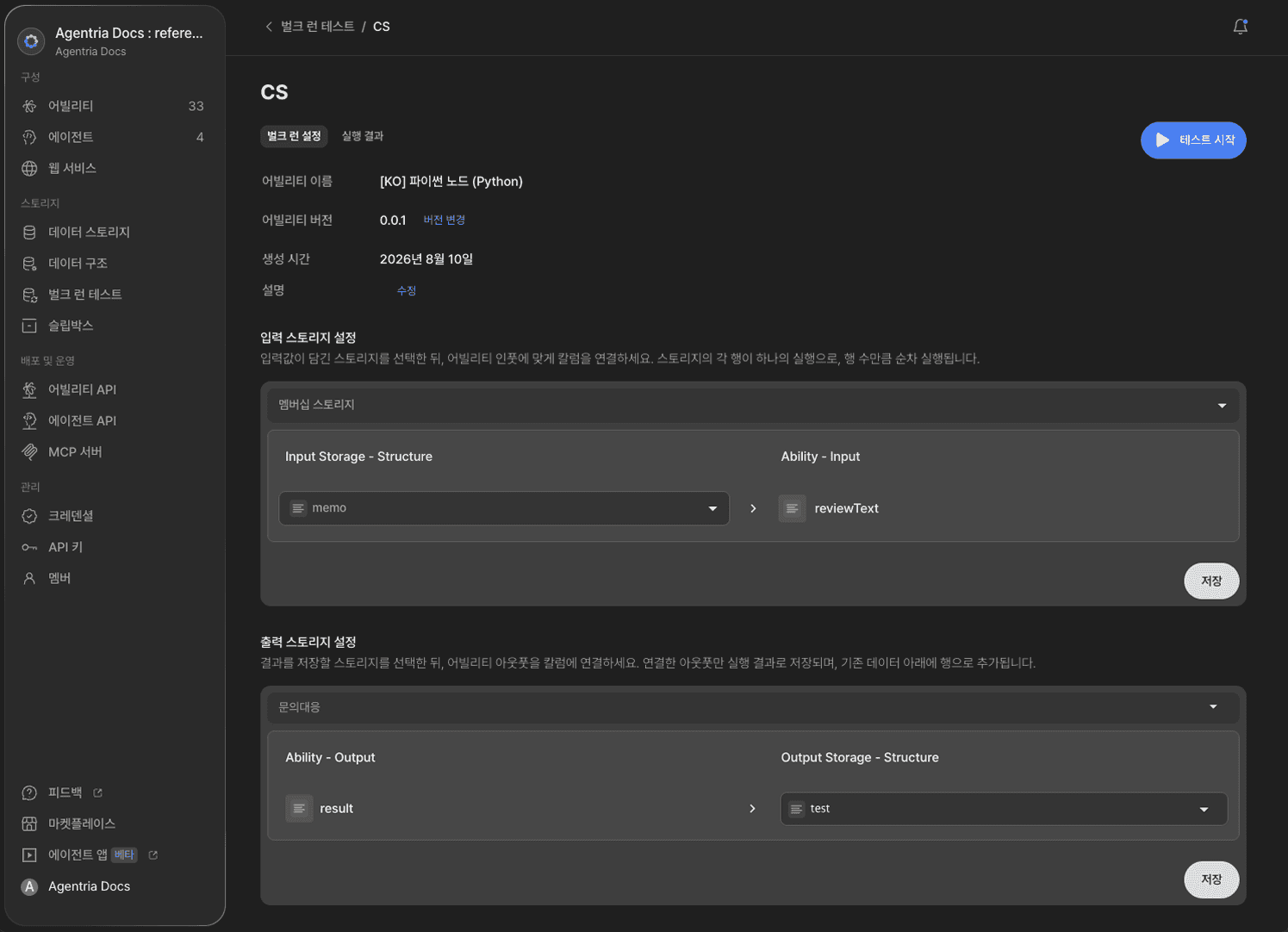
Bulk Run Test is a large-scale execution test that verifies whether an ability produces consistent results across a range of input values.
To use it, you first need to create a Data Structure and build a Data Storage on top of it. The storage you use for input and the storage that receives the results must be two different storages.
Here's how it works.
In the input storage settings, you map columns to the ability's inputs. Each row in the input storage is then treated as one execution, so the ability runs sequentially, once per row.
In the output storage settings, only the ability outputs you map are saved as results, and they're appended as new rows below the existing data in the output storage.
This lets you check in one pass how reliably an ability performs across a range of input conditions.
Learn More
If you'd like to set up storage for yourself, check out the guides below.
🔗Using Data Storage — walks through creating a Data Structure and building a Data Storage.
🔗Using Bulk Run Test — walks through using storage data to run and verify an ability at scale.
🔗Using Slipbox — walks through managing unstructured knowledge as Slips.
Frequently Asked Questions
What is Storage?
Agentria's Storage is where workflows save and manage the data they work with. It's made up of four features: Data Storage and Data Structure for structured data, Slipbox for unstructured data, and Bulk Run Test, which uses stored data to verify how an ability performs.
When should I use Storage?
Use Storage when you need to reuse data created during one workflow run in a later run, or when multiple workflows need to share the same data. Use Data Storage for structured data with clear columns, and Slipbox for unstructured data that has no fixed format, like a document.
How is Data Storage different from Slipbox?
Data Storage is a structured data store where you have to predefine columns and types with a Data Structure. Slipbox is an unstructured data store that manages knowledge as Slip-level documents with no such schema. They're not competing options — you pick whichever matches the nature of your data, structured or unstructured.
What's the relationship between Data Structure and Data Storage?
Data Structure comes first, Data Storage comes second. A Data Structure is the schema that defines column names, types, whether fields are required, and indexing. A Data Storage is the actual store you create by selecting that Data Structure. You can't create a Data Storage without one.
How does Bulk Run Test relate to Data Storage?
Bulk Run Test operates on top of Data Storage. It walks through the data in an input Data Storage row by row, running the ability repeatedly, and stacks the results into a separate output Data Storage. That's why you need a Data Structure and Data Storage already set up before you can use Bulk Run Test.